05
18
: Quick browse to select different colors
: Adjust the parameter of three basic colors under the custom mode.
Instruction for the operation of touch screen
1. Search and select the needed radio channel
2. Select one unit (pre-set number) from N0.1 to No. 6 unit (pre-set number) and press
(long press) this unit (pre-set) number for 2 seconds. The radio frequency will be
stored in this unit (pre-set number) and will be displayed.
Method to search the radio frequency
Select the presetting radio: click the radio frequency stored in the unit (pre-set number).
Manual radio selection: press the[ ][ ] button on the touch screen to select the
needed radio frequency.
Automatic radio channel storage: pres the {APS}button on the operation interface of
touch screen for 2 seconds and the radio begins to search the frequency automatically.
Press [APS] button to save the radio to the pre-setting number of this band when the radio
frequency with signal is searched.
Description for the button function of radio interface
3. Instruction for the operation of quick browse setting
Description of button function
on this menu can set the color of backlight for the front panel through this menu can
setting such as orange,blue, red,green cyclic or customization, etc.
,
,
MUTE
: Mute switching
BAND
: Cyclic switch of AM/FM band
APS
SEL
: Audio and video setting
: Automatic scanning (long press)/browse radio (short press)
LOUD
: Loud setting
ST
: Stereo switching
EQ
:Pre-set equalizer
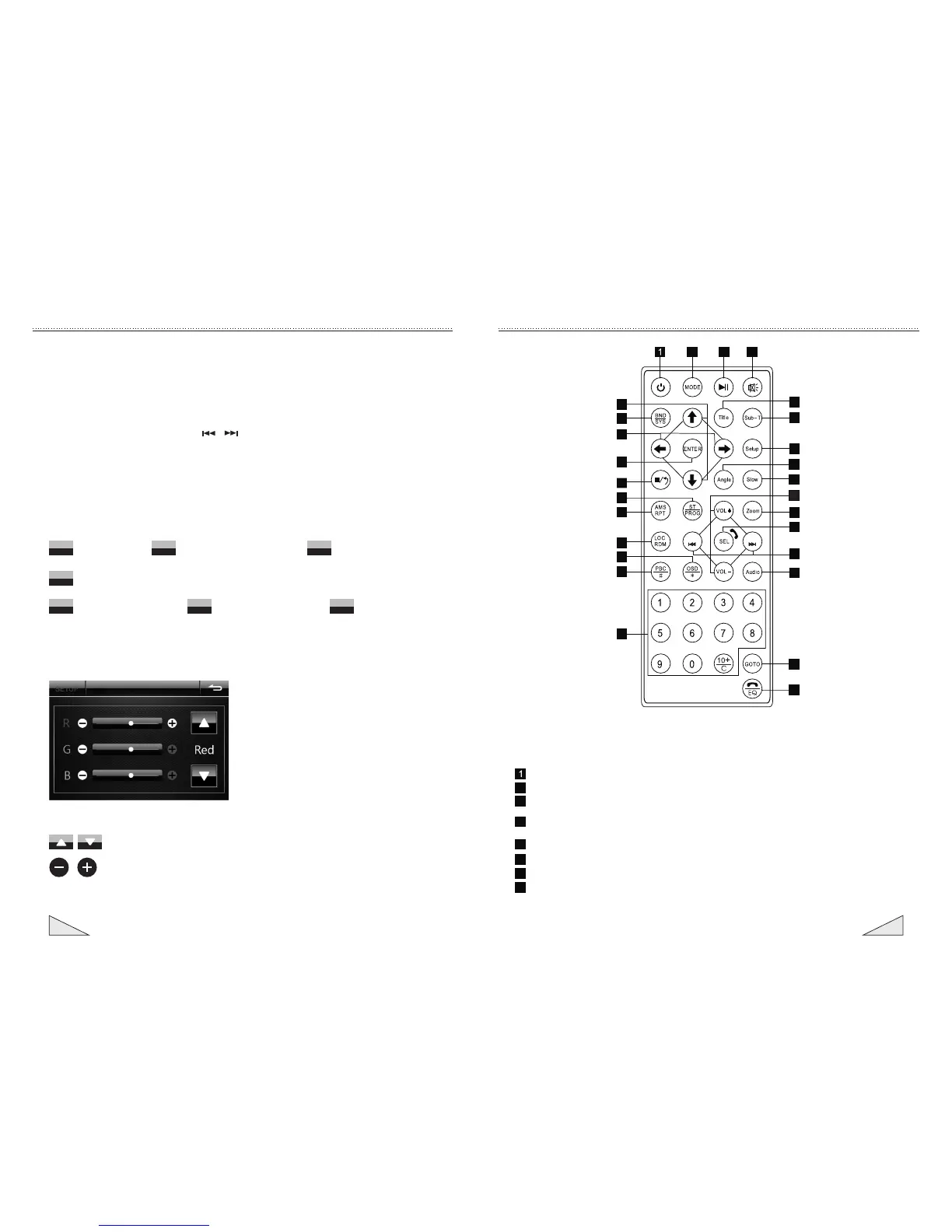
Introduction for function of controller
SEEK- SEEK+
2
3 4
25
23
22
20
18
17
16
8
7
5
6
9
10
11
12
13
14
15
19
21
24
26
27
2
3
4
5
6
7
8
(Power switch) button: press this button to switch on or off the power supply.
(Mode conversion) button: press this button to switch the different modes in cycle.
(Play/pause) button: under the sound playing state, press this button to switch
between playing and pause; under the pause state, press this button to play.
(Mute) button: press this button to close the volume output. Press it again to restore
the former volume level.
(Title) button: under the DVD mode, press this button to return to the top menu of disc.
(Subtitling) button: under the DVD mode, press this button to play the subtitling language.
(Setting menu) button: press this button to enter the setting menu.
(Angle) button: under the DVD mode, press this button to change the play angle
when the multi-angle DVD content.


 To Next Page
 Loading...