AUDIOBYTE BLACK DRAGON Digital Preamplifier
__________________________________________________________________________________
_
8) Lightning or static electricity can affect normal operation of the apparatus. Make sure that
it is unplugged during a thunderstorm. If the device is affected by one of these conditions
and stops behaving as it should, a power reset usually resumes it’s normal operation.
9) Power off or unplug the power cord if the device is not to be used for a long period of
time.
PRODUCT DESCRIPTION :
Digital to analog converter with variable analog outputs
Inputs are : AES/EBU, S/PDIF, USB, I2S – (HD-Link), Optical Toslink
Outputs are: Single ended and XLR balanced audio outputs, headphone output
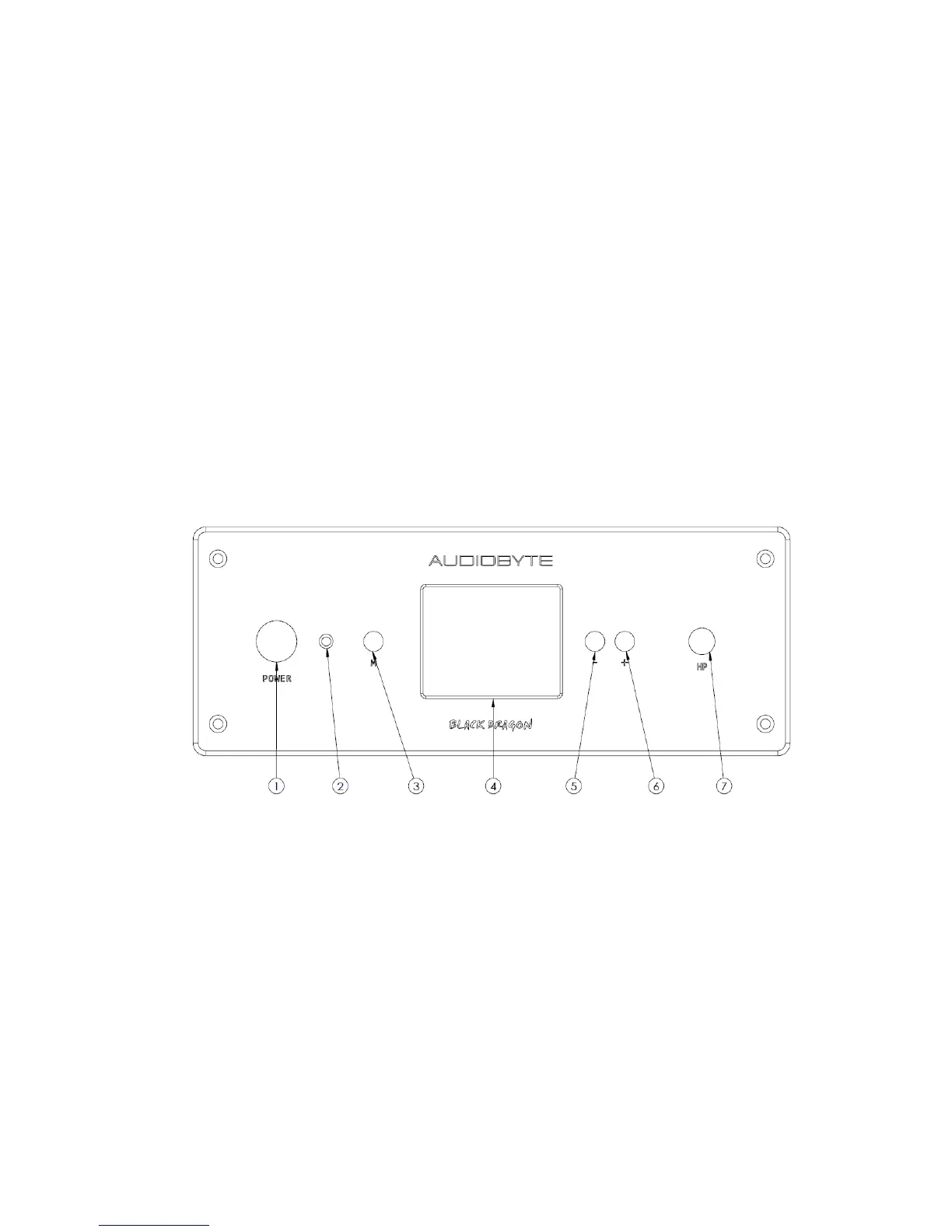
FRONT VIEW :
LEGEND :
1) Power switch
2) IR sensor
3) MENU key (similar function on remote control)
4) Dot-matrix display
5) Down (-) key (similar with remote)
6) Up (+) key (similar with remote)
7) Headphone socket (6.3 mm)



 To Next Page