EasyManua.ls Logo

AudioControl ACX-BT1 - User Manual

AudioControl ACX-BT1
6 pages
Print Icon
To Next Page IconTo Next Page
Loading...
BLUETOOTH RECEIVER WITH APTX™ HD SUPPORT
Quick Start Guide
Features
Compact, elegant design with no buttons or switches
aptX™ HD Support
BT v4.1 chip set
All-weather IPX5 rated
Universal design works with any amplifier or device with line
level (RCA) inputs
Unique remote turn-on output circuit
Pacific Northwest freshness built-in!
Question and Answer IconNeed help?

Do you have a question about the AudioControl ACX-BT1 and is the answer not in the manual?

Summary

AudioControl ACX-BT1 Features

Compact and Elegant Design

Features a compact, elegant design with no buttons or switches for a clean look.

Advanced Bluetooth Support

Supports aptX™ HD and BT v4.1 chip set for high-quality audio streaming.

All-Weather Durability

All-weather IPX5 rated enclosure ensures protection against water and dust.

Versatile Connectivity

Universal design with line-level RCA inputs works with any amplifier or source unit.

Remote Turn-On Feature

Includes a unique remote turn-on output circuit to power on connected amplifiers.

Important Safety Instructions

General Safety Precautions

Read and follow all instructions, heed warnings, and avoid submersion or blocking vents.

Installation and Electrical Safety

Proper installation by qualified personnel is crucial to prevent injury, death, or system damage.

Electrical Shock and Maintenance Warnings

Warnings about uninsulated voltage, user-serviceable parts, and fuse replacement procedures.

Hearing Protection and Recycling

Protect hearing from high sound pressure levels and recycle the apparatus responsibly.

Connection Guide

Remote Turn-On Output

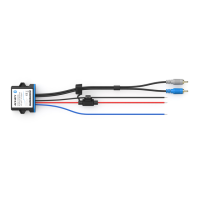
Blue wire (12V DC/20mA) for turning on connected amplifiers, active after audio playback.

12 Volt Power Input

Red wire (Fused @ 2A) connects to a switched 12V power source; constant power option noted.

Ground Input

Black wire connects to a solid ground connection point on the vehicle.

RCA Line Level Outputs

Gray (Left) and Blue (Right) RCA outputs connect to amplifier or source unit inputs.

Quick Start Guide

Setup and Installation Steps

General steps for installation, including wiring, mounting, and connection best practices.

Bluetooth Pairing and Streaming

Instructions on pairing your mobile device and streaming audio wirelessly.

System Configuration Example

Head-unit-less All-Weather System

Diagram illustrating the ACX-BT1 connected to an ACX-300.4 amplifier for a system.

ACX-BT1 Specifications and Warranty

Technical Specifications

Details nominal output level, S/N ratio, data rate, current draw, wire gauge, fuse rating, weight, and dimensions.

Limited Warranty Information

Information on obtaining warranty details and keeping your receipt safe.

Overview

The AudioControl ACX-BT1 is a single-channel Bluetooth receiver designed to integrate wireless audio streaming into your vehicle's audio system. It offers a compact and elegant design, free of buttons or switches, making for a clean and unobtrusive installation. The device supports aptX™ HD, ensuring high-quality audio streaming, and utilizes a Bluetooth v4.1 chipset for reliable connectivity.

Function Description:

The primary function of the ACX-BT1 is to receive Bluetooth audio signals from a mobile device and convert them into line-level RCA outputs, which can then be connected to an amplifier or other audio processing unit. This allows users to stream music wirelessly from their smartphones or tablets directly to their car audio system, bypassing the need for a traditional head unit or wired connections.

A unique feature of the ACX-BT1 is its remote turn-on output circuit. This 12V DC/20mA output is designed to automatically turn on a connected amplifier. The output becomes active only after audio playback has begun and remains active for approximately 7 seconds after audio playback ceases. This intelligent turn-on feature simplifies system integration and ensures that the amplifier is only powered when needed.

The device is universally designed to work with any amplifier or device that accepts line-level (RCA) inputs, offering broad compatibility with existing car audio setups. Its all-weather IPX5 rating means it is protected against water jets from any direction, making it suitable for various vehicle environments, including those exposed to the elements.

Usage Features:

  • Wireless Audio Streaming: Enables high-quality wireless audio streaming from Bluetooth-enabled devices to your car audio system.
  • aptX™ HD Support: Provides superior audio fidelity compared to standard Bluetooth codecs, delivering a more immersive listening experience.
  • Automatic Amplifier Turn-On: The integrated remote turn-on output automatically activates a connected amplifier when audio playback starts, simplifying system operation.
  • Compact and Button-Free Design: Its minimalist design allows for discreet installation without the need for user interaction once set up.
  • All-Weather Durability: The IPX5 rating ensures the device can withstand exposure to water, making it suitable for various vehicle types and outdoor applications.
  • Universal Compatibility: Designed to integrate seamlessly with any amplifier or device that has line-level RCA inputs.
  • Easy Pairing: Once powered, the ACX-BT1 enters pairing mode, indicated by a quickly flashing blue LED. Users can then find "AudioControl BT1" in their device's Bluetooth settings and pair with a simple tap or click.
  • Visual Status Indicators: A blue LED indicates successful Bluetooth pairing (continuous illumination), while a red LED illuminates when music or any sound is actively playing through the unit.
  • Flexible Power Connection: The 12V power input can be connected to an accessory (switched) power source, or, if preferred, to a constant 12V source. If connected to a constant source, users should be aware of a small constant current draw. A rocker or toggle switch can also be used for manual control if a switched source is unavailable.
  • Line-Level Outputs: Provides dedicated left (gray RCA) and right (blue RCA) line-level outputs for connection to an amplifier or source unit.

Maintenance Features:

  • No User-Serviceable Parts: The ACX-BT1 is designed without user-serviceable components inside, other than potentially removing the top panel to access controls (though the manual states no buttons or switches). Any servicing beyond basic installation should be referred to qualified service personnel.
  • Cleaning: The device should only be cleaned with a dry cloth. Avoid submerging the apparatus in water.
  • Fuse Replacement: Fuses, if applicable and accessible, should only be replaced with the correct type and fuse value, and only when the apparatus is powered off.
  • Wiring Protection: When passing wires through metal openings or bulkheads, rubber grommets should be used to protect the wiring from damage.
  • Proper Installation: Installation should be performed by qualified personnel, taking care to avoid damage to fuel lines, power and other electrical wiring, hydraulic brake lines, and other vehicle systems that could compromise safety. Adequate wire gauge (16-22 gauge) should be used for +12V and ground connections to ensure sufficient current.
  • Mounting: The ACX-BT1 can be securely mounted using the two mounting holes located on each side. The chosen mounting location should provide good ventilation and protect the receiver from heat, moisture, and dirt.
  • Recycling: At the end of its lifespan, the apparatus should be carefully recycled at a facility specially equipped for electronic devices. Contact local or state recycling leaders for assistance.

AudioControl ACX-BT1 Specifications

Power IconPower
nominal output level1.5 Vrms
current draw35 mA
fuse rating2 A
Weight and Dimensions IconWeight and Dimensions
weight0.2 lbs
length2.0"
width2.5"
height0.7"