7
IV. Preset explanations:
Preset 1: ‘‘Extended’’ has been made for application that need low end when FRX is used without added subwoofer
Preset 2: ‘‘Fullrange’’ is similar to ‘’extended’’ but without LF correction. This preset if close to be neutral and at reproduction
for voice applications.
Preset 3: ‘‘FOH odd’’ is specic AUDIOFOCUS preset for front stage when FRX are side by side coupled
(refer to X-Comb section)
Preset4: ‘‘FOH even’’ is specic AUDIOFOCUS preset for front stage when FRX are side by side coupled
(refer to X-Comb section)
V. X-Comb philosophy and setup:
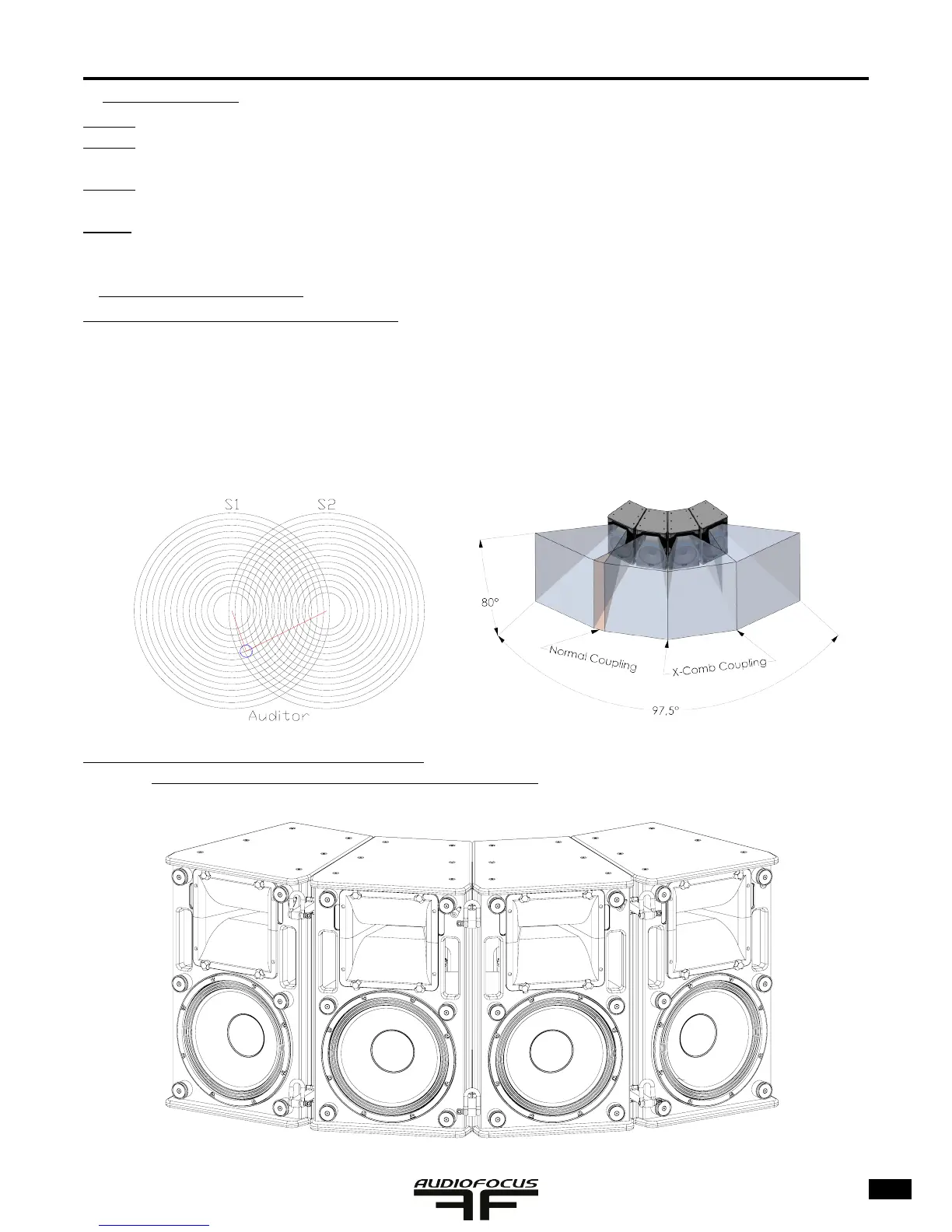
Basical explanation about ‘’X-comb’’ technology:
Coupling between two sources that are discontinued makes appear a comb effect problem. This mean that if you walk
in front of the cabinets that are coupled, you will ‘’feel’’ some ‘’holes’’ and ‘’maximum’’ due to the distance the sources
and the ears. Some frequencies arrives in phase and other ones out of phase. The earing system feels these maximum
and minimum: this is the comb effect. This is the reason why AUDIOFOCUS developed ‘’Cross-comb’’ or ‘’X-comb’’
technology based on specic horn, psychoacoustic features and DSP treatment.
Example of Setup of 2 x 4 coupled FR-X for FOH stage:
a) Set all horns to 30° abs asselmble the array using 6 H proles
Normal coupled sources


 To Next Page
 Loading...