
 Need help?
Do you have a question about the audiophony LIVEtouch20 and is the answer not in the manual?
Product contains non-isolated electrical components; avoid maintenance when on.
Audio solutions deliver important sound pressure levels harmful to human health.
Explains important safety symbols like IMPORTANT, CAUTION, WARNING.
General instructions for safe and proper operation and maintenance.
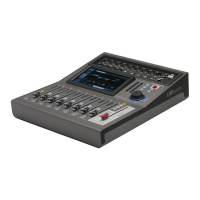
Lists the key features of the LIVEtouch20 console.
Provides detailed technical specifications of the console.
Lists the items included in the product packaging.
Describes the various input and output connectors on the front panel.
Details the main module components of the console.
Describes the faders, meters, and controls for input channels.
Explains the buttons for navigating input and output pages.
Describes the controls for adjusting output levels.
Specifies the power supply input details (DC12V - 4.17A).
Details the 6.35 jack stereo monitor output.
Describes the balanced outputs on XLR plugs.
General overview of console's input channels.
Details modules and functions within a mic input channel.
Details modules and functions within stereo input channels.
Describes configuration and modules of output busses.
Main interface for system configuration.
Options for system updates, resets, and settings export/import.
Assigns buses to analog outputs, S/PDIF, and USB outputs.
Displays input and output signal levels.
Access to effect modules like Modulation, Delay, Reverb, and GEQ.
Manages saving, loading, and manipulating scenes (presets).
Allows recording and playback of audio tracks.
Settings for oscillator, monitor, phones, and solo functions.
Configuration for WiFi connection for remote control.
Guide to installing and connecting the MQ-Touch iPad application.
 General
| Channels | 20 |
|---|---|
| EQ Bands | 3 |
| EQ | Yes |
| Effects | Yes |
| USB | Yes |
| Bluetooth | Yes |
| Weight | 2.5 kg |
| Type | Digital |
| Control | Touchscreen |

 To Next Page