17
5
Desktop Device Manager Application
Available for Mac OS X and Windows 7, 8.1, and 10
The AudioQuest Desktop Device Manager Application allows you to identify your
DragonFly’s serial number and software version to ensure that the device is up to date.
In order to install the AudioQuest Desktop Device Manager Application:
1. Go to: http://www.audioquest.com/page/aq-digitalupdates.html and download
the latest Device Manager available for your operating system.
2. Double-click the installer icon and follow the onscreen instructions until complete.
The application’s icon will appear on your desktop.
3. To run the Device Manager Application, double-click the application’s icon.
4. A window will appear, asking you to connect a DragonFly device to your computer.
Once you have done so, a new window will appear, with tabs and controls that
allow you to set various preferences.
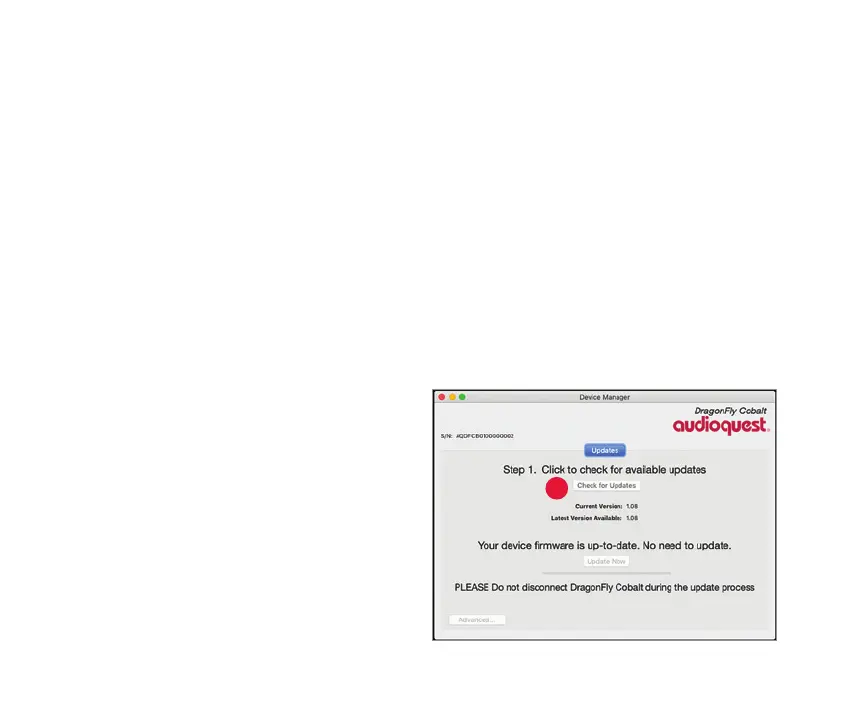
5. The Device Manager Application will
automatically check for available
software updates. However, if you’d like
to manually check for updates, you can
do so whenever you wish by clicking
the “Check for Updates” button. If an
update is available, the “Update Now”
button will be enabled. Click this button
to start the update process.



 To Next Page