GB-4
Change display content
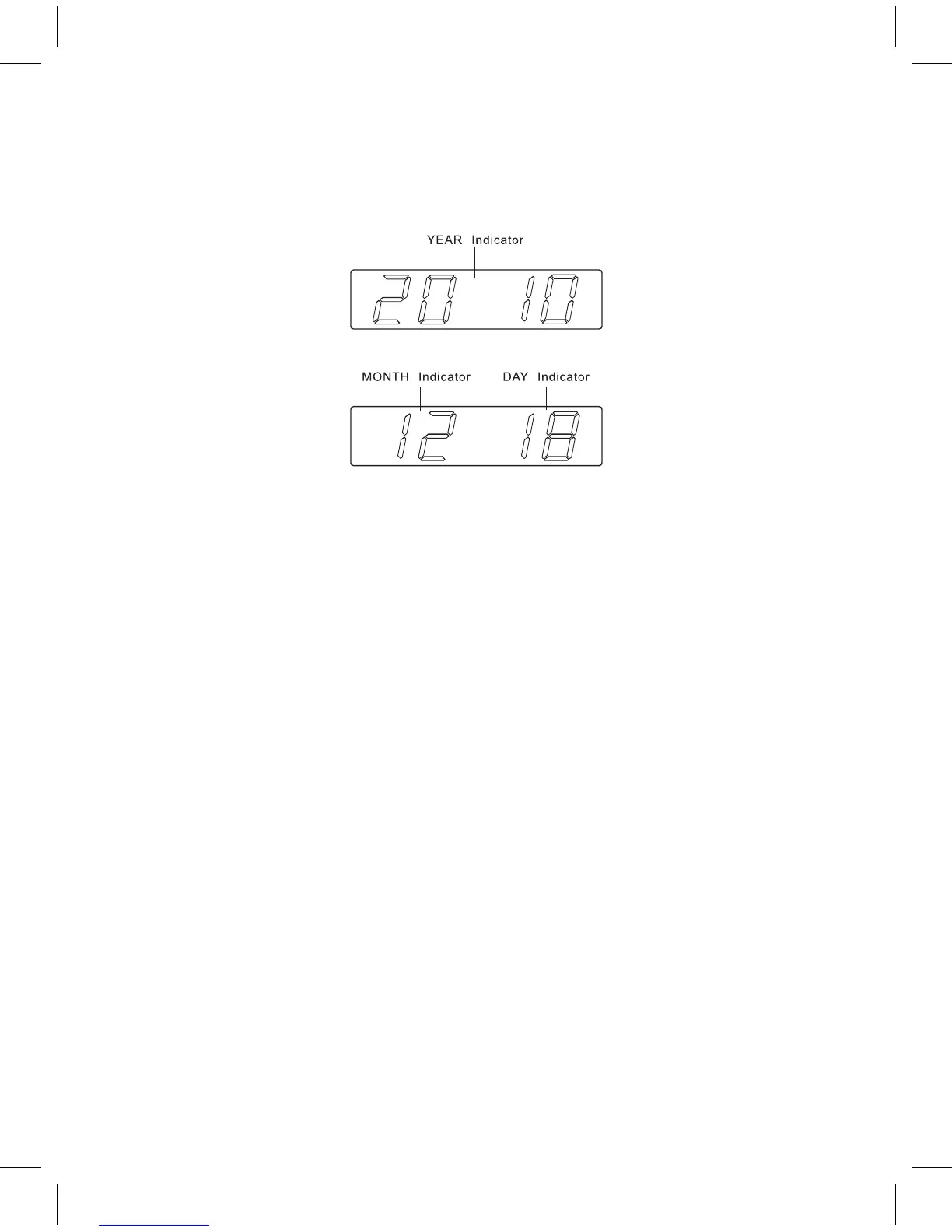
Press the << / YEAR-MONTH-DAY button (2) to switch to display the Year/Month/
Day, after 5 seconds timeout the display will switch back to time automatically.
Sleep function
When the radio is turned on, press the SNOOZE / SLEEP / NAP button (4) to
turn on the sleep mode. The sleep time will keep fl ashing for 10 seconds, during
that time press the SNOOZE / SLEEP / NAP button (4) again to change the
duration from 90 to 15 minutes. Press the ON / OFF button (7) to cancel the
sleep function.
Nap function (countdown timer)
When the radio is turned off, press SNOOZE / SLEEP / NAP button (4) to turn
on NAP mode, the NAP time will keep fl ashing by 10 seconds, within 10 seconds
and press SNOOZE / SLEEP / NAP button (4) button can change the duration
from 90 min – 10 min. The alarm buzzer will sound for 30 min and then shut off
automatically. To stop the alarm buzzer, press the ON / OFF button (7).
Press the SNOOZE / SLEEP / NAP button (4) button has no effect during alarm
operation. Press the ON/OFF button (7) to cancel the NAP function.
Display light dimmer
When the radio is turned off, set the DISPLAY LIGHT DIMMER LOW / HIGH /
AUTO OFF (9) to the AUTO OFF mode, the LED display will automatically turn
off in 15 seconds. Press any key button to turn the display on.
DST – Daylight Saving Time (summer- and wintertime)
Press the >> / DST button (3) and hold it for 3 seconds to toggle between the
summer- en wintertime.


 To Next Page