
 Need help?
Do you have a question about the AudioSonic CL-1489 and is the answer not in the manual?
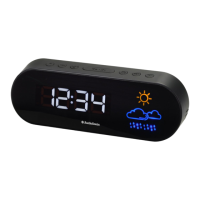
Identifies and lists buttons and indicators on the front panel of the clock radio.
Details the buttons and controls located on the top surface of the clock radio.
Describes the power socket and battery compartment located on the back.
Provides guidelines for cleaning, placement, and maintenance of the clock radio.
Instructions for connecting the AC/DC adapter and installing the backup battery.
Guide to setting the current time, 12/24 hour format, and snooze interval.
Steps to set alarm times, choose wake-up sources, and manage alarms.
How to stop, reset, and utilize the snooze function when an alarm sounds.
Instructions for adjusting the brightness level of the LED time display.
How to set and use the nap timer for wake-up after a specified period.
Steps for setting up the antenna, tuning stations, and adjusting volume.
Instructions on storing and recalling favorite FM radio stations.
How to set the sleep timer for automatic radio shutdown after a delay.
Explanation of the various weather graphics displayed on the unit.
 General
| Brand | AudioSonic |
|---|---|
| Model | CL-1489 |
| Category | Clock Radio |
| Language | English |

 To Next Page