
 Need help?
Do you have a question about the AudioSonic HDT909 and is the answer not in the manual?
Key safety instructions and user responsibilities for proper product use.
Guidelines for safe installation, operation, environment, and maintenance of the device.
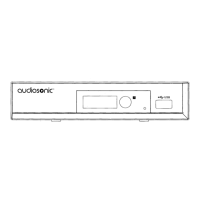
Identifies and labels all components and indicators on the front of the STB.
Identifies and labels all connectors and ports on the rear of the STB.
Details the purpose and operation of each button on the remote control.
Overview of connecting the STB to various external equipment.
Step-by-step guide for connecting the STB to a television set.
Instructions for connecting the STB to audio systems.
Guides through the first-time startup and welcome menu.
Step-by-step instructions for the initial product installation.
Explains channel scan and auto scan procedures.
Explanation of the Logical Channel Number feature.
How to select and change channels on the STB.
Accessing and using the EPG for program information.
How to access and navigate the channel editing menu.
Organizing, favoriting, and editing TV channels.
Organizing and listening to radio channels.
Procedure for clearing all channels, requires password.
Introduction to the various system configuration options.
How to set the display language for the STB interface.
Adjusting video resolution, aspect ratio, and audio output.
Setting the device's time, date, and region.
Setting up program timers for recording or wake-up.
Protecting menus and channels with a password.
Adjusting On-Screen Display timeout and transparency.
Renaming favorite channel groups.
Configuring audio description service and volume.
Settings for LNB power, beeper, and auto standby.
Accessing the main menu for various tools.
Displaying system parameters and device information.
Resetting the STB to factory default settings and clearing channels.
Procedures for upgrading the STB software via OTA or USB.
Safely ejecting USB devices from the STB to prevent data loss.
Accessing and playing built-in games.
Overview of recording and media playback functions.
Playing music, images, and videos from a USB device.
Managing and playing video files from USB.
Instructions for starting and stopping instant program recordings.
Checking disk space and format options for PVR.
Configuring TimeShift and PS Record settings.
Pausing and resuming live broadcasts.
Starting and stopping instant program recordings.
Table of issues like no signal, no picture, remote issues, and their fixes.
Technical specifications for tuning and channels.
Technical specifications for video and audio decoding.
Details of available connection ports and types.
Specifications for input voltage and power consumption.
 General
| Brand | AudioSonic |
|---|---|
| Model | HDT909 |
| Category | Set-top boxes |
| Language | English |

 To Next Page