6
Configuration
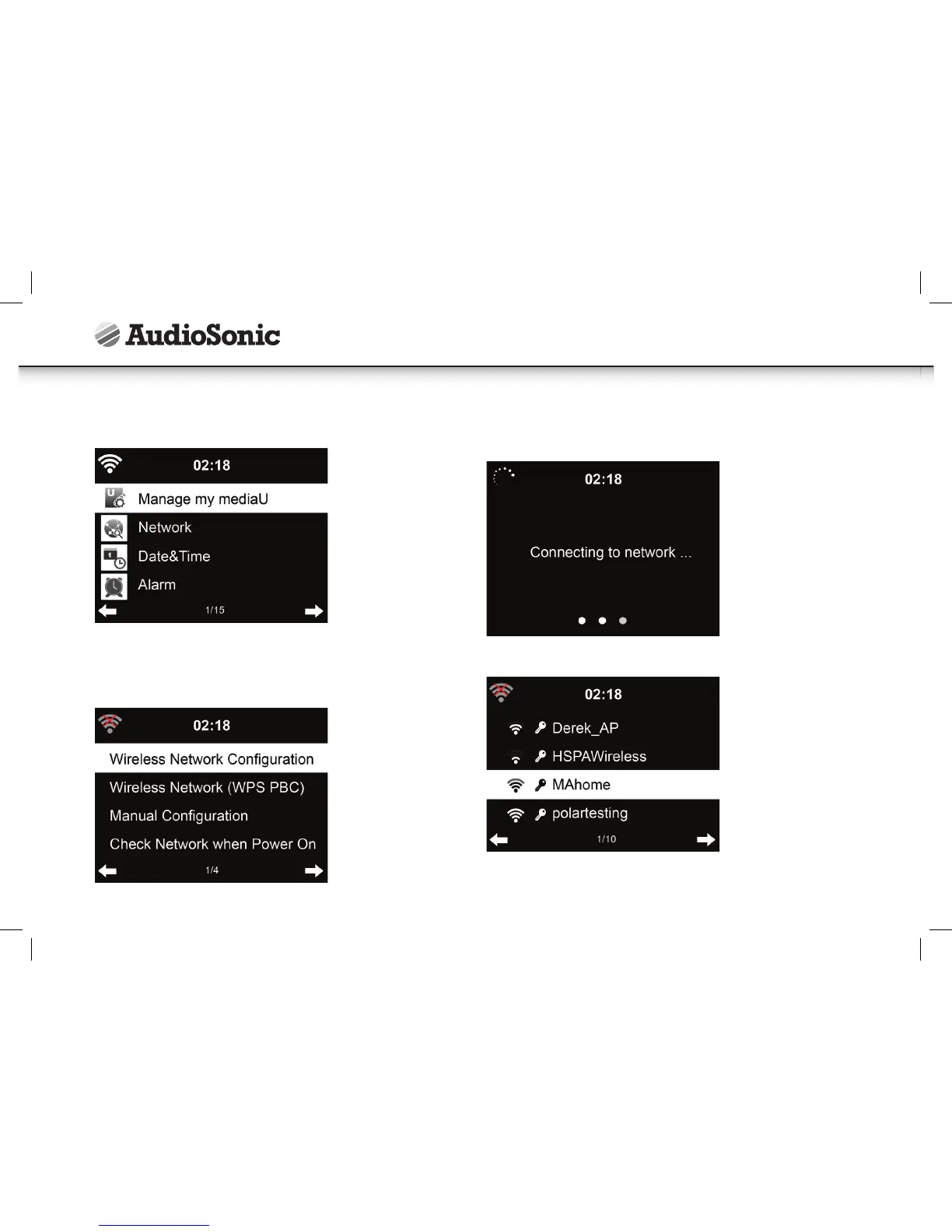
Manage my mediaU
• When it is enabled, My mediaU will exist on the main menu.
• If various mediaU accounts exist in the device, Select the default login account in
here.
Network
Wireless Network Configuration
The unit will automatically scan for available networks.
Select your access point.
Enter WEP or WPA code to connect to your wireless network.
Instruction Manual



 To Next Page