
EasyManua.ls Logo

Audiovox AquaTronics MS1550 - User Manual

Audiovox AquaTronics MS1550
12 pages
Print Icon
To Next Page IconTo Next Page
Loading...
OWNER’S MANUAL
Marine Audio System
Electronic AM/FM tuner with US/Euro selection
Single CD player; plays CD, CD-R, CD-R/W
LED backlit controls, silicone rubber keypad
Marine features; solid top cover, corrosion resistant
hardware, coated circuit boards, uV stable plastics
Maintains settings with no power applied
CD changer controls (optional MCD10 changer)
Wired remote option (REMMS1550)
Aux input and line level outputs
4x40W power
Two wire power connection (Switched 12V and ground)
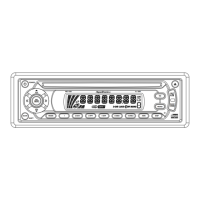
MS1550
MS1550B
POWER
SHIFT
SCAN
SEL
MENU
VOL
VOL
MODE 1 2 SCN 3 RPT 4 SHF 5 DISC- 6 DISC+ AMS DISP
MONO
EQ
MUT
BAND
LOUD
MS 1550 4 x 40W

Questions and Answers

  • K
    Kevin BoydJul 30, 2025
    Why is my Audiovox AquaTronics MS1550 Marine Audio not turning on?
    • R
      Richard CampbellJul 30, 2025
      If your Audiovox Marine Audio system isn't powering on, there could be a couple of reasons. First, ensure your car's ignition is switched to “ACC” if the power supply relies on the accessory circuits. If that's not the issue, check the fuse; a blown fuse will prevent the unit from powering on, so replacing it should solve the problem.
  • L
    Lauren LeeAug 4, 2025
    Why is there no sound coming from my Audiovox AquaTronics MS1550 Marine Audio?
    • K
      Kenneth WeaverAug 4, 2025
      If you're experiencing no sound from your Audiovox Marine Audio, start by checking the volume level and ensure it's appropriately adjusted. Also, inspect the wiring connections to confirm they are properly connected.
  • N
    Nicole RyanAug 8, 2025
    What to do if my Audiovox AquaTronics MS1550 Marine Audio sound skips?
    • G
      Gregory JacksonAug 8, 2025
      If your Audiovox Marine Audio is skipping, ensure that the installation angle is less than 30 degrees. Also, the disc might be dirty or defective, so clean the compact disc, then try playing a new one.
  • J
    Jason KimAug 14, 2025
    Why is my Audiovox AquaTronics MS1550 Marine Audio radio not working?
    • A
      Angela PrattAug 14, 2025
      If your Audiovox Marine Audio isn't picking up radio stations, make sure the antenna cable is firmly inserted. If the signals are too weak, try selecting a station manually.
  • S
    Stanley RiddleAug 19, 2025
    What to do if my Audiovox AquaTronics MS1550 disc cannot be loaded or ejected?
    • E
      Erin CampbellAug 19, 2025
      If your Audiovox Marine Audio is having trouble loading or ejecting discs, first, remove the disc that is already in the player, and then insert a new one. Make sure you're inserting the disc with the label facing upward. If the disc is extremely dirty or defective, clean it or try a new one. If the temperature inside the car is too high, cool off the car until the ambient temperature returns to normal. Finally, condensation may be the issue, so leave the player off for about an hour before trying again.
  • M
    Michael CannonAug 25, 2025
    How to fix Audiovox AquaTronics MS1550 operation keys that do not work?
    • N
      Nina PerezAug 25, 2025
      If the operation keys on your Audiovox Marine Audio aren't working, try pressing the RESET button. This can resolve issues caused by noise affecting the built-in microcomputer.

Summary

Installation Guide

Preparation for Installation

Steps to take before installing the unit, including screw removal and mounting.

Mounting Options

Details on DIN front-mount installation opening and DIN front/rear-mount.

Unit Installation Process

Step-by-step instructions for securely installing the unit into the dashboard.

Removing the Unit

Procedure for safely removing the unit from the dashboard.

Wiring Connection Diagram

Operating the Marine Audio System

Control Layout and Basic Functions

Overview of key locations and how to switch the unit on/off.

Audio Adjustments

Guides on sound adjustment, loudness, mute, and equalization settings.

Menu and System Settings

Instructions for menu selection, beep on/off, volume presets, and region settings.

Display and Reset

Explanation of the liquid crystal display and when to use the reset function.

Radio Operation

Details on switching modes, selecting bands, stations, and memory functions.

CD Player Functions

Guide to CD playback, track selection, pausing, and disc ejection.

CD Changer (CDC) Operation

Instructions for operating a connected CD changer and selecting discs/tracks.

Disc Handling Recommendations

Important notes and recommendations for using standard and recordable CDs.

System Specifications

General Specifications

Power requirements, dimensions, tone control range, and current drain.

CD Player Performance

Technical details for CD player signal-to-noise ratio and frequency response.

Radio Tuner Performance

Specifications for FM/AM frequency coverage, IF, and stereo separation.

Troubleshooting Common Issues

Product Warranty Information

Audiovox AquaTronics MS1550 Specifications

General IconGeneral
BrandAudiovox
ModelAquaTronics MS1550
CategoryMarine Audio
LanguageEnglish

Related product manuals
