EasyManua.ls Logo

Audiovox AVP-7000 - User Manual

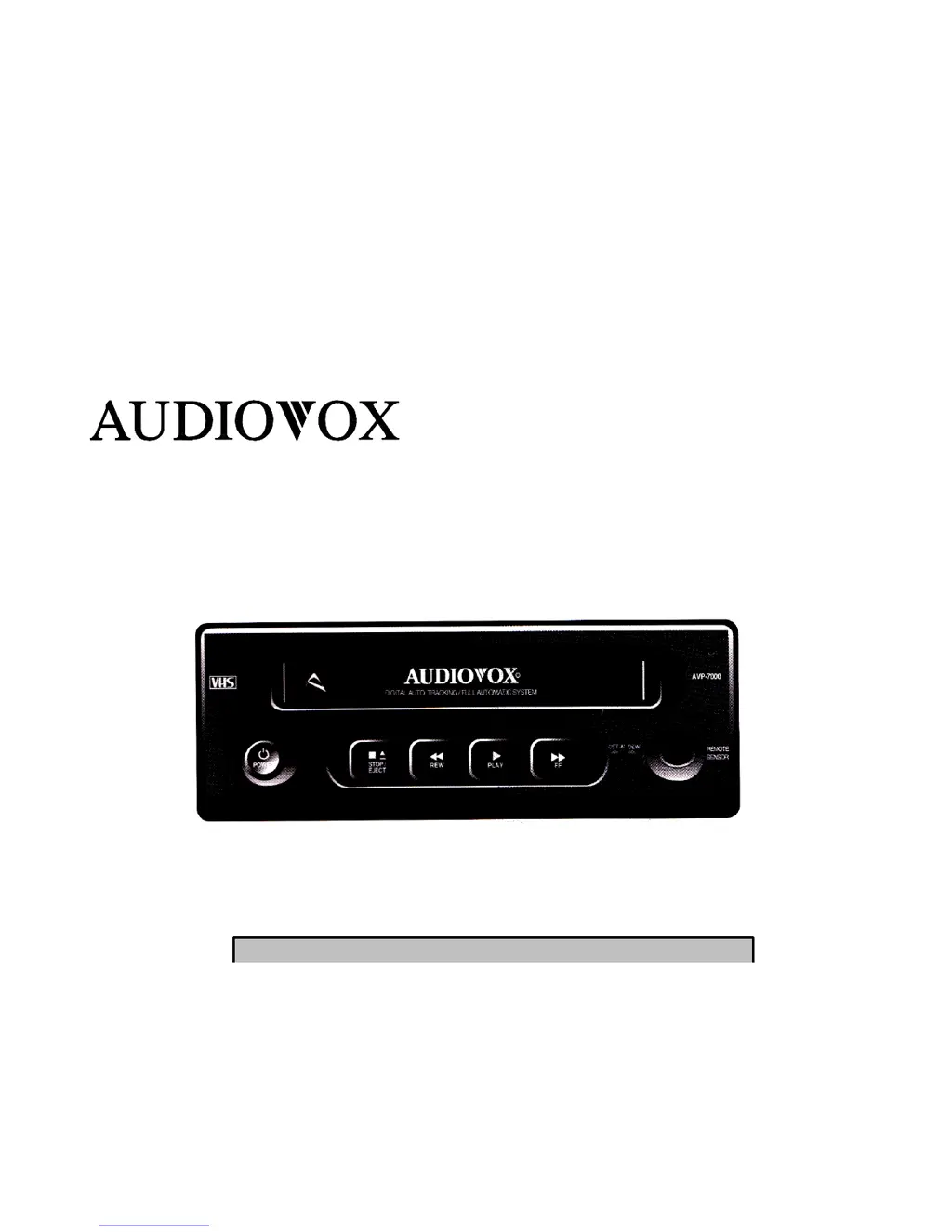
Audiovox AVP-7000
29 pages
Print Icon
To Next Page IconTo Next Page
Loading...
VIDEO CASSETTE PLAYER
DC OPERATION W/SPECIALIZED TAPE MECHANISM
DLC COATED VIDEO HEAD
BACKLIGHTING FUNCTION BUTTONS
AVP-7000 OPERATING INSTRUCTIONS
SPECIALLY DESIGNED FOR VAN, RV, MARINE,

Questions and Answers

  • T
    Tim RichardsAug 1, 2025
    What to do if Audiovox VCR play mode indicated no audio or video to TV?
    • M
      Melissa FryeAug 1, 2025
      If your Audiovox VCR is in play mode but you're not getting any audio or video on your TV, here are a few things to check: * If the VCR is connected to the A/V Input jack, ensure that the RCA patch cables are set to TV mode. * If connected via a 75Ù coax antenna cable, make sure the TV is switched to TV mode, not monitor mode. * If connected to A/V output jacks, change the connections to A/V input jacks. * Verify that the VCP A/V RCA cables or coax are correctly connected to the TV input. * Check for any loose or faulty connections between the VCR and the TV. * Ensure the A/V inputs to the TV are not reversed. * Check the coax cable between the VCR and TV for shorts.
  • B
    Brian CamposAug 6, 2025
    How to fix poor video or snowy picture on Audiovox AVP-7000 VCR?
    • A
      Alicia TaylorAug 6, 2025
      If you're experiencing a poor, snowy picture, or lines on the screen with your Audiovox VCR, it might be due to dirty heads. You can clean the heads using a tape cartridge cleaner. It's recommended to use a cartridge with cloth or paper tape and cleaning drops. These are readily available at retail stores.
  • M
    mejiathomasAug 12, 2025
    What to do if Audiovox AVP-7000 VCR power indicated with back lighting but unit will not operate?
    • B
      Brent OrtizAug 12, 2025
      If your Audiovox VCR has power (back lighting is on) but won't operate, consider these possibilities: * The unit may be in dew mode. Allow the unit time to rid moisture. If the dew indicator is still on after 30 minutes, completely switch the power supply off from the unit and re-supply after 1 minute to reset it. * Make sure a tape is inserted. * If in a vehicle, start the engine to ensure adequate voltage.
  • J
    Jessica HornAug 19, 2025
    Why Audiovox VCR mode indicators flashing unit will not operate?
    • M
      Mandy RodgersSep 12, 2025
      If the mode indicators on your Audiovox VCR are flashing and the unit won't operate, it may be in emergency mode. In this case, it's recommended to contact your dealer for service.
  • K
    kimberly88Aug 25, 2025
    Why Audiovox VCR no back lighting at power button?
    • G
      Gabrielle LoweAug 25, 2025
      If there's no back lighting at the power button on your Audiovox VCR, it could be due to a lack of 12VDC power. Here are some things to check: 1. Check the circuit fuse at the power source (refer to the vehicle/converter manual). 2. Inspect the in-line fuse of the power cord, located in the lighter plug. 3. Examine the VCP (2 amp *20x 5mm) fuse on the rear of the unit. 4. Ensure the power cord is properly plugged into the 12V outlet and the rear of the unit.

Summary

Operating Instructions Overview

Recommended Guidelines for Motor Vehicle Use

Important Safeguards

Safe Power Sources and Operation

Use specified power sources, avoid water/moisture, and ensure ventilation.

Object Entry, Liquids, and Accessories

Prevent object/liquid entry, use recommended accessories, avoid hazards.

Environmental Precautions and Cleaning

Avoid heat, sunlight, confined spaces, and follow cleaning guidelines.

Cart Handling Warnings

Caution for moving VCP and cart combinations to prevent overturning.

Service and Maintenance

Conditions Requiring Service

Identifies situations necessitating professional repair due to damage or malfunction.

Servicing Guidelines and Parts

Advises against self-repair, emphasizes qualified personnel and correct parts.

Safety Checks After Service

Recommends routine safety checks by technicians post-repair.

Important Usage Notes

Product Features

Digital Auto Tracking and Picture Adjustment

Explains features for clear pictures and stable video.

Auto Start Feature

Automatic power-on and PLAY mode activation upon cassette insertion.

Moisture Condensation Handling

Video Head Cleaning and Maintenance

Video Head Clogging and Cleaning

Explains symptoms of clogged heads and cleaning procedures.

Basic Operation Guide

Cassette Loading and Unloading Procedure

Step-by-step instructions for inserting and removing cassettes.

Basic Operations Controls

Loading, Playback, and Stop Controls

Describes cassette insertion, playback, and stopping tape functions.

Fast Forward, Rewind, and Eject Controls

Details controls for tape speed adjustment and ejection.

Special Operations

Visual Search and Re-Auto Tracking

Guides on fast tape search and the Re-Auto Tracking feature.

Product Identification

Front Panel Overview

Identifies and describes front panel controls and indicators.

Front Panel Details

Key Functions and Indicator Lamps

Explains PLAY/FF/CUE keys and Cassette-in/Dew indicator functions.

Rear Panel Connections

Fuse Holder and Channel Selection Switch

Location of fuse holder and RF output channel selection.

Rear Panel Terminal Guide

Input and Output Terminals Explained

Details ANT IN, VIDEO OUT, AUDIO OUT, RF OUT, DC JACK IN.

Vehicle Connection Guide

Usage Method Instructions

Auto Tracking Adjustment

Before Calling Service Personnel

Troubleshooting Common Issues

Product Specifications

Accessory List

Limited Warranty Information

Audiovox AVP-7000 Specifications

General IconGeneral
TypeVCR
BrandAudiovox
ModelAVP-7000
Remote ControlYes
Playback FormatsVHS
Recording FormatsVHS
Playback FeaturesSlow Motion
ConnectionsAudio/Video Input, Audio/Video Output, RF Input
InputsComposite Video, Audio
OutputsComposite video, Stereo RCA audio, RF (coaxial)
Recording SpeedSP

Related product manuals