7
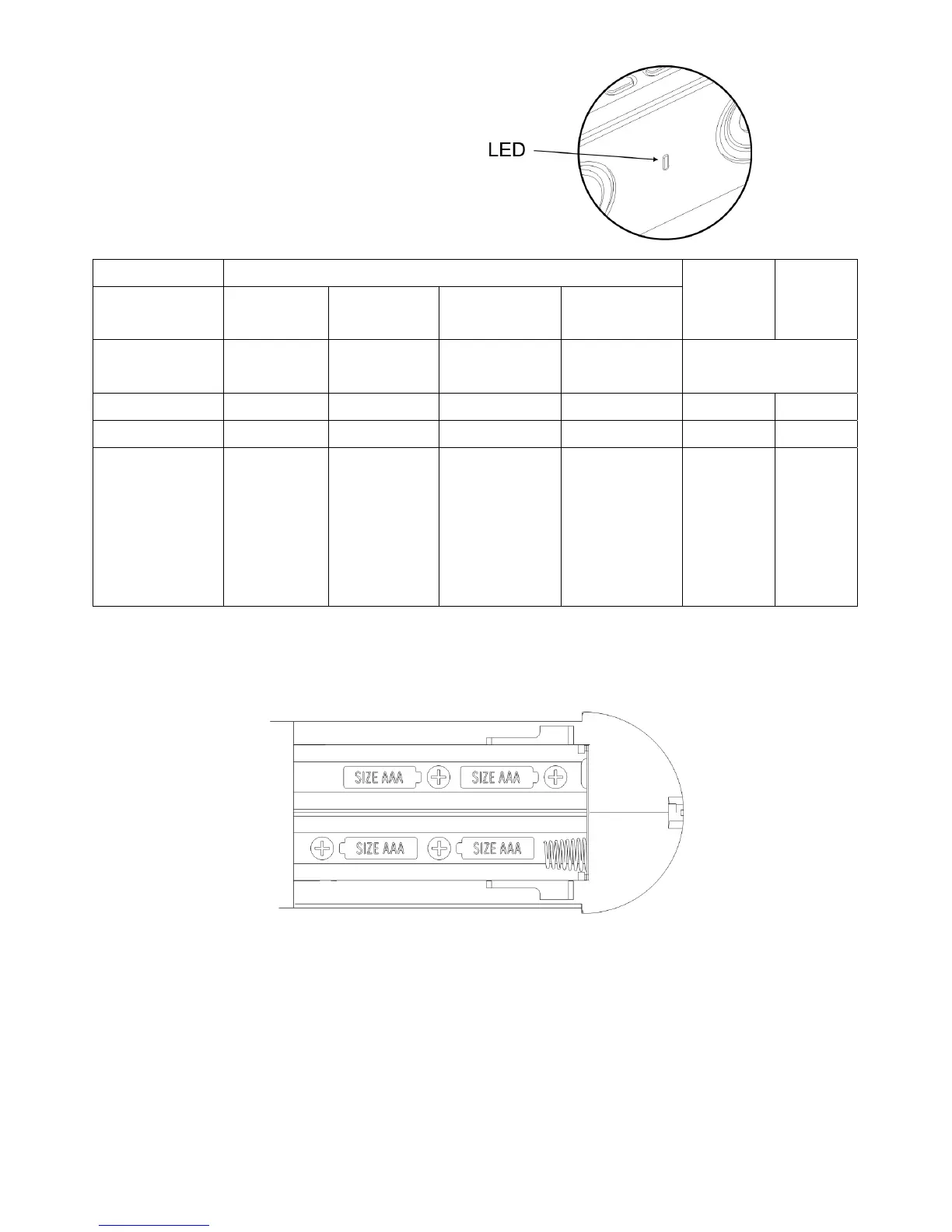
LED Light Indicators
1. Green:FMMode
2. Blue:BluetoothMode
3. Amber:AUXINMode
BelowistheLEDLightConditionChart:
MODE BluetoothMode
CONDITION Sleeping Pairing Connected Auto
Connect
FM
Mode
AUXIn
BlueLight SlowFlash QuickFlash ON ShortFlash BasedonBT
ConnectionStatus
GreenLight X X X X ON X
AmberLight X X X X X ON
Light
Flashing
Condition
SlowFlash
onetime
every4
seconds
QuickFlash
4times
every1
second
ShortFlash
1time
every1
second
Quick
Flash
power‐
on
bootup
process
General Setup
1. Insert4AAA‐sizebatteriesintothebatterycompartmentandre‐installthebatterycover;
or,plugpoweradaptorintojackmarked6VDCinandplugadaptorintoawalloutlet.
2. PressthePowerbutton.TheLEDindicatorwillblinkagreenlightfor5‐10seconds
duringthebootupprocess.TheLEDindicatorwillturnsolidgreenfordefaultFMRadio
modewheninitializationiscomplete.EachpressoftheModebuttonswitchesto
anothersource:FM>Bluetooth
>AuxIn.



 To Next Page