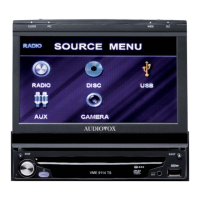
Front Button Panel Features
1) Power: This button turns LCM1331FD/LCM1331FDW on and off. Dimly lit when in stand-by mode.
2) Channel ∆ ∇: Pressing ∆ will select higher programmed channels and pressing ∇ will select lower programmed
channels than current channel.
3) Volume ∆ ∇: Pressing ∆ will raise the volume and pressing ∇ will lower the volume.
4) Select: Each press of this button selects the next source (1-3). Note that some sources produce an image,
depending upon whether components are connected to all sources.
5) Latch: Sliding this latch forward will release the 12.1” monitor to drop into playing position.
6) AP: Places the tuner in auto-program mode. Auto program will scan all channels available and store active channels
into memory for easy selection with the channel up/down buttons.
7) Bright ∆ ∇: Pressing this button ∆ will increase monitor brightness, and pressing this button ∇ will decrease monitor
brightness.
8) Contrast ∆ ∇: Pressing this button ∆ will increase picture contrast, and pressing this button ∇ will decrease contrast.
9) Color ∆ ∇: Pressing this button ∆ will increase color separation and pressing this button ∇ will decrease color
separation.
4



 To Next Page