K. WIRED HEADPHONES (Refer to Figure 18)
Optional wired headphones may be used with the "Video In a Bag"
System. Simply plug in the headset to either HEADPHONE 1 jack or
HEADPHONE 2 jack on the left side of the monitor.
Note: Using HEADPHONE 1 jack will disconnect the internal speak-
ers.
L. SUPPORT EXTERNAL MONITORS
1. Using MONITOR PORT (Refer to Figure 18 & 19)
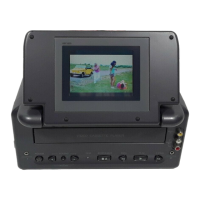
Besides the monitor combined with the main unit, this system can
drive up to 2 additional monitors (Please contact an Audiovox dealer
for the additional monitors part # VBDV56) by using the cigarette
lighter adapter in the vehicle. (NOTE: The AC to DC adapter can
drive only 1 main unit and 2 monitors, either combined or detached).
Connect the PORT on the additional monitor to either MONITOR 1
port or MONITOR 2 port on the left side of the main unit with the
supplied DIN cable. After plugging in the main unit, DC 12V power,
Audio/Video and IR signals will all be supplied through DIN cable to
the additional monitor.
Figure 19
*Optional
Second
Video
Monitor
38





 To Next Page