EasyManua.ls Logo

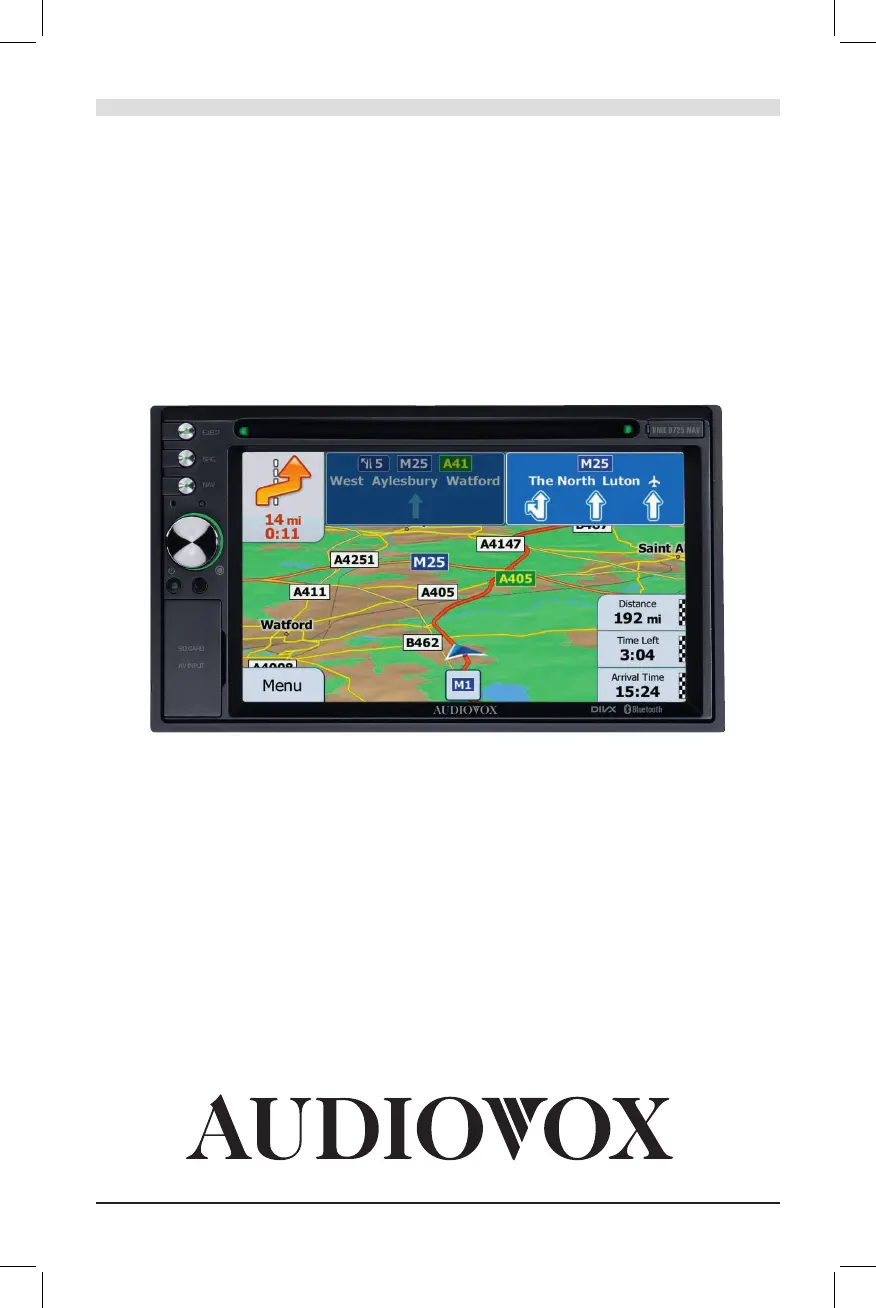
Audiovox VME 9725 NAV - User Manual

Audiovox VME 9725 NAV
224 pages
Go to English
Print Icon
To Next Page IconTo Next Page
Loading...
VME 9725 NAV
®
BEDIENUNGSANLEITUNG/GARANTIEURKUNDE
OWNER’S MANUAL/WARRANTY DOCUMENT
MODE D’EMPLOI/CERTIFICAT DE GARANTIE

Questions and Answers

  • B
    Brian ZamoraSep 10, 2025
    What does 'Bad Disc' mean on my Audiovox VME 9725 NAV GPS?
    • D
      danielgibbsSep 10, 2025
      If your Audiovox GPS displays 'Bad Disc', the disc may be dirty, so clean it with a soft cloth. Also, ensure the disc is inserted correctly with the label side up.
  • L
    Luke LynchAug 22, 2025
    What to do if there is no or low audio output from Audiovox GPS?
    • R
      Robert FranklinAug 23, 2025
      If you're experiencing no or low audio output on your Audiovox GPS, there are several potential causes. First, check the wiring and correct any improper audio output connections. Second, increase the volume level if it's set too low. Third, review the wiring diagram and check the “MUTE” connection to ensure it's properly connected. Fourth, replace the speakers if they are damaged. Fifth, adjust the channel balance to the center position if it's heavily biased. Finally, insulate all speaker wiring connections to ensure they are not in contact with any metal parts of the car.
  • L
    Lynn ParkerAug 25, 2025
    Why does my Audiovox GPS unit reset when the engine is off?
    • J
      Jennifer GrahamAug 25, 2025
      If your Audiovox GPS unit is resetting itself when the engine is off, it's likely due to an incorrect connection between the ACC and positive battery wire. Check the wiring and correct it.
  • A
    Amy CookAug 26, 2025
    What to do if flashing image or interference appears on Audiovox VME 9725 NAV screen?
    • G
      Gabrielle BeardAug 26, 2025
      If the image on your Audiovox GPS screen is flashing or showing interference, it could be due to a DVD that is not compatible with the current TV system settings. Try changing the setup to accommodate the disc. It may also be due to improper video signal connections, so check the wiring and correct it.
  • O
    oholtAug 27, 2025
    Why is the sound quality poor or distorted on my Audiovox VME 9725 NAV?
    • W
      William AnthonyAug 27, 2025
      If you're experiencing poor sound quality or distortion with your Audiovox GPS, it could be due to a pirated disc being used; use an original copy. Another cause could be that the speaker power rating is not compatible with the unit; connect proper speakers. Finally, a shorted speaker could be the cause; check the speaker contact.
  • E
    Erin VanceAug 29, 2025
    What to do if there is no image on Audiovox VME 9725 NAV GPS?
    • L
      Luis GarciaAug 29, 2025
      If there is no image on your Audiovox GPS screen, it could be due to an incorrect connection to the parking brake wire. Check the wiring and correct it. Alternatively, the parking brake might not be engaged. Stop the vehicle in a safe place and apply the parking brake.
  • J
    Jeffrey KramerSep 18, 2025
    What does 'Error' mean on my Audiovox GPS and how to fix it?
    • A
      Ashley GoldenSep 18, 2025
      If your Audiovox GPS displays 'Error', it indicates an illegal mechanism operation. Press the EJECT key for 5 seconds to reset the loading mechanism.
  • C
    Cory TravisSep 12, 2025
    What does 'Region Error' mean on my Audiovox VME 9725 NAV GPS?
    • Y
      youngemilySep 12, 2025
      If your Audiovox GPS displays 'Region Error', it means the DVD is not compatible with the unit's region code. Use a disc with the proper region code.
  • N
    nancy85Sep 8, 2025
    What does 'No Disc' mean on my Audiovox VME 9725 NAV GPS?
    • A
      Ashley HallSep 8, 2025
      If your Audiovox GPS shows 'No Disc', the disc may be dirty. Clean it with a soft cloth. It could also be that the disc is upside down; insert it with the label side up. Finally, ensure a disc is actually present in the loading compartment; insert a disc if it is not.
  • A
    Allison MorrisSep 5, 2025
    What to do if I cannot insert a disc into my Audiovox GPS?
    • O
      osmithSep 5, 2025
      If your Audiovox GPS won't let you insert a disc, it's possible that there is already a disc inside the unit. Eject the current disc and then insert the new one.

Summary

FEATURES

Product Features Overview

Describes general capabilities like Bluetooth, Navigation, and Rear Camera readiness.

Safety Warnings

Operational Safety Precautions

Covers installation hazards, driving restrictions, and improper use warnings.

CONTROLS AND INDICATORS

Unit Controls and Connectors

Details the front panel buttons, ports, and indicators.

REMOTE CONTROL

Source Selection and Input

Audio Adjustment Settings

Equalizer, Balance, and Fader Controls

How to adjust audio settings using the on-screen interface.

TUNER OPERATION

Tuner Interface and Basic Functions

Explains the display, TA, AF, and volume controls.

DVD;VCD VIDEO OPERATION

DVD;VCD Playback Controls and Menus

Details playback controls, menus, language options, and PBC.

DVD;CD AUDIO OPERATION

MP3;WMA;XVID;DIVX OPERATION

iPod;iPhone OPERATION

BLUETOOTH OPERATION

Bluetooth Connectivity and Call Management

Pairing, profiles, call handling, contacts, and history.

REAR CAMERA OPERATION

TROUBLESHOOTING

General Unit and Audio Issues

Problems with power, audio output, and sound quality.

Display, Tuner, and Disc Problems

Troubleshooting for monitor issues, radio signals, disc errors, and messages.

Audiovox VME 9725 NAV Specifications

General IconGeneral
Screen Size7 inches
Resolution800 x 480 pixels
GPS NavigationYes
BluetoothYes
Audio PlaybackYes
Video PlaybackYes
SD Card SlotYes
DVD PlayerYes
TouchscreenYes
Preloaded MapsYes
Text-to-SpeechYes
FM TransmitterYes
Media PlayerYes
USB PortYes
BatteryRechargeable Lithium-Ion
Supported Media FormatsMP3, WMA, AVI, DivX, Xvid

Related product manuals