Connecting Your VR-1;
Basic Setup
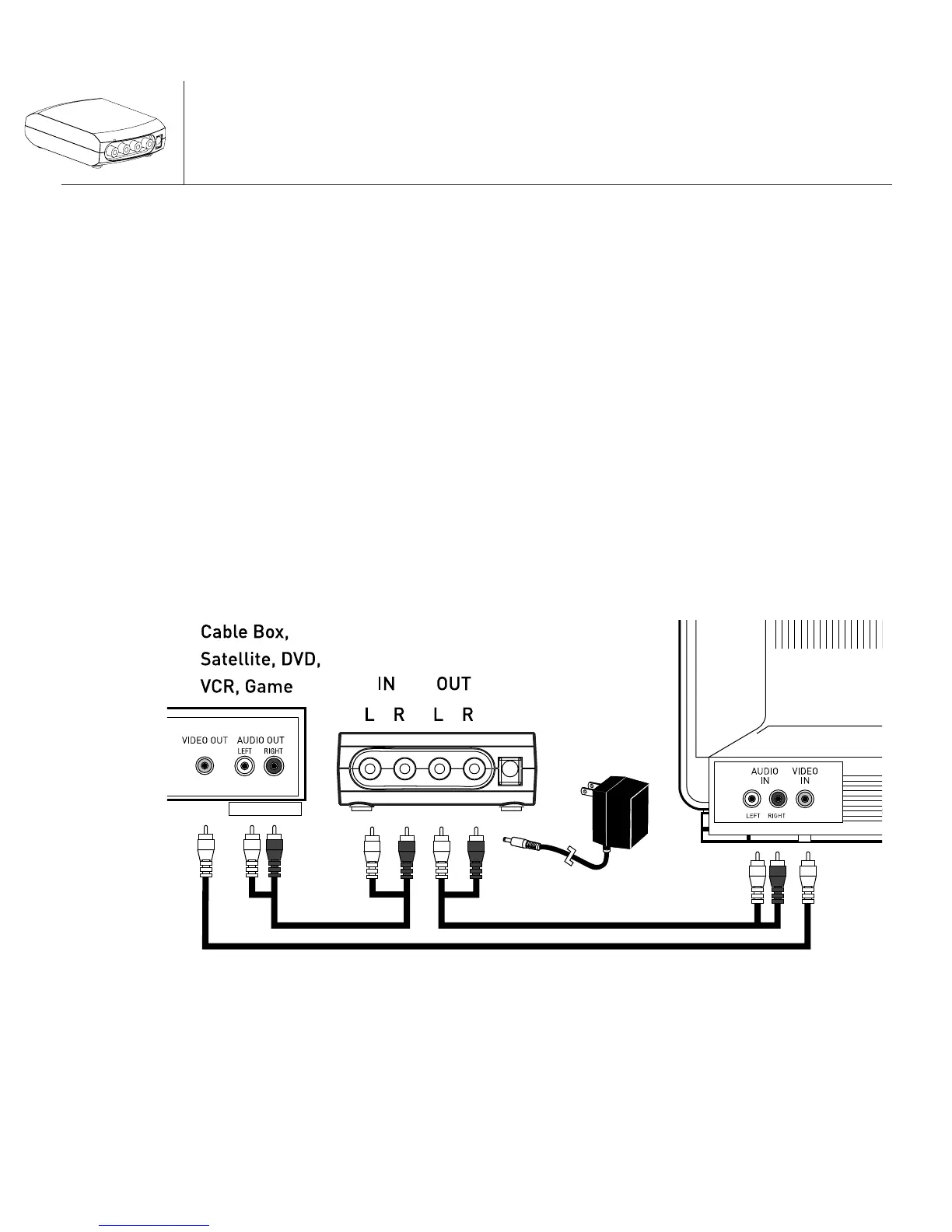
1. Use a set of red and white audio connection cables to
connect the output of your source device (such as a
cable box, satellite receiver, DVD player, VCR, etc.)
to the INPUT of the VR-1.
2. Use another set of red and white connection cables
(not included) to connect the OUTPUT of the VR-1 to
the input of your TV or another signal control device
(such as a stereo, home theater receiver, powered
speakers, etc.).
3. Connect the A/C adapter to the DC input of the VR-1.
4. Plug the A/C adapter into a working electrical outlet.
VR-1
2
Note: When using RCA cables as shown above make sure
that you remove the coax cable from your TV.


 To Next Page