This document serves as the user manual for a 2.0 Soundbar system, model SR190-16. It provides comprehensive instructions for operation, maintenance, and troubleshooting, ensuring users can fully utilize the device's features.
Function Description
The soundbar system is designed to enhance audio experiences, supporting various playback methods and inputs. Its core function is to provide high-quality sound output for a range of media. Key functionalities include:
- Bluetooth Playback: Users can wirelessly connect their mobile devices or other Bluetooth-enabled equipment to the soundbar to stream audio. The system supports Bluetooth V5.0, offering a stable connection for music playback.
- Optical Fiber Decoding: The soundbar features an optical input, allowing for high-fidelity digital audio decoding from devices like DVD players or other equipment with optical outputs.
- HDMI (ARC) Input: With an HDMI ARC (Audio Return Channel) input, the soundbar can connect to a TV, enabling high-definition audio decoding. This feature allows the TV to transmit digital audio signals directly to the soundbar, and in some cases, the TV's power switch can also control the soundbar.
- USB Playback: The soundbar includes a USB port for direct playback of music files stored on USB drives. When a USB drive is inserted, the system automatically enters USB playback mode.
- External Audio Source Input (AUX): A 3.5mm AUX input allows users to connect external audio sources such as MP3 players or CDs, providing versatility for various devices.
- Digital Signal Processing Technology: The soundbar incorporates digital signal processing technology to optimize audio output, making it suitable for different environments like offices and homes.
- Sound Effect Regulation (EQ Modes): The device offers five different EQ modes: MUSIC, MOVIE, BASS+, NEWS, and GAME. These modes are designed to tailor the audio output to specific content, enhancing the listening experience. For example, MOVIE mode provides deep bass, while NEWS mode optimizes for clear vocals.
- Bass Volume Adjustment: Users can adjust the bass level by pressing dedicated "BASS+" or "BASS-" buttons, allowing for personalized sound preferences.
- 3D Surround Effect: The soundbar can switch on or off a 3D surround effect, providing an immersive audio experience.
- LED Display Control: The digital tube display on the soundbar can be turned on or off, offering flexibility for users who prefer a less illuminated environment.
Usage Features
The soundbar is designed for user-friendly operation, with controls available on both the device itself and a remote control.
- Power On/Off: The soundbar can be powered on or off by a short or long press of the power button on the device or remote control. Unplugging the machine from the power supply will completely power it off.
- Input Selection: Users can easily switch between different input sources (Bluetooth, Optical, HDMI ARC, AUX, USB) using dedicated buttons on the remote control or the function switch button on the soundbar.
- Volume Control: Volume can be adjusted by short or long pressing the "+" or "-" buttons on the soundbar or remote control. An indicator light flashes during volume adjustment and remains on when the volume reaches its maximum or minimum level.
- Playback Control (USB/Bluetooth): For USB and Bluetooth modes, users can play, pause, and skip tracks using the corresponding buttons on the soundbar or remote control.
- Bluetooth Pairing: To connect a Bluetooth device, users activate the Bluetooth function on their phone, search for "OCS50BT-B," and connect. A voice prompt confirms the connection. If a password is required, "0000" should be entered. The soundbar enters pairing status with voice prompts when the Bluetooth button is pressed.
- Sound Effect Adjustment: The remote control allows users to select different EQ modes (MUSIC, MOVIE, BASS+, NEWS, GAME) to match their content. In MUSIC and DIALOG modes, bass and treble can be adjusted across six positive and negative grades.
- Display On/Off: The "3D/LED OFF" button can be used to toggle the digital tube display on or off after the soundbar is turned off.
Maintenance Features
To ensure optimal performance and longevity of the soundbar, the manual provides several maintenance guidelines and troubleshooting tips.
- Environmental Considerations: The soundbar should not be used in environments that are too cold, too hot, dusty, or humid. It should also be kept away from direct sunlight and places where it might easily fall.
- Water Safety: It is crucial to prevent the product from being exposed to water droplets or splashing. Liquid-filled items, such as vases, should not be placed on the soundbar to avoid accidents.
- Electrical Safety: Before use, users should check that the grid voltage matches the voltage specified for the machine to prevent fire or electric shock.
- Unauthorized Disassembly: Users are warned not to disassemble the machine without authorization, as this will void the warranty.
- Troubleshooting Bluetooth Connection:
- Connection Failure: If Bluetooth pairing fails, it might be because another mobile device is already connected or its Bluetooth is still on. Users should turn off Bluetooth on previously connected devices to allow the new device to connect.
- Low Playback Volume: If Bluetooth playback volume is low, users should ensure the mobile device's output volume is turned up, as the soundbar's default output level might be higher than the device's.
- Short Connection Distance/Broken Sound: Obstructions between the mobile device and the soundbar can cause a short connection distance or broken sound. Removing obstructions and shortening the distance between the devices can resolve these issues.
- Customer Service: If troubleshooting steps do not resolve an issue, users are advised to contact a technician or customer service.
- Packaging: Users are instructed to carefully open the package, confirm all accessories are present, and keep them in one place to prevent loss. The manual itself should be kept in a safe place for future reference.
The manual emphasizes that product specifications and design may change without further notice, reflecting the dynamic nature of product development. The provided instructions aim to guide users through a seamless and enjoyable audio experience with their 2.0 Soundbar system.

 Need help?
 General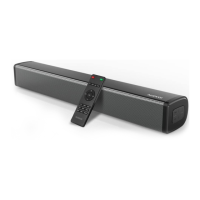

 To Next Page