Add: U11, 21-23 Capella Cres
Moorabbin VIC 3189
Tel: 03 8597 0396
AU Focus Pty Ltd
www.aufocus.com.au
Ver: Ver 1-202211
Step 19.
Step 20.
Step 21.
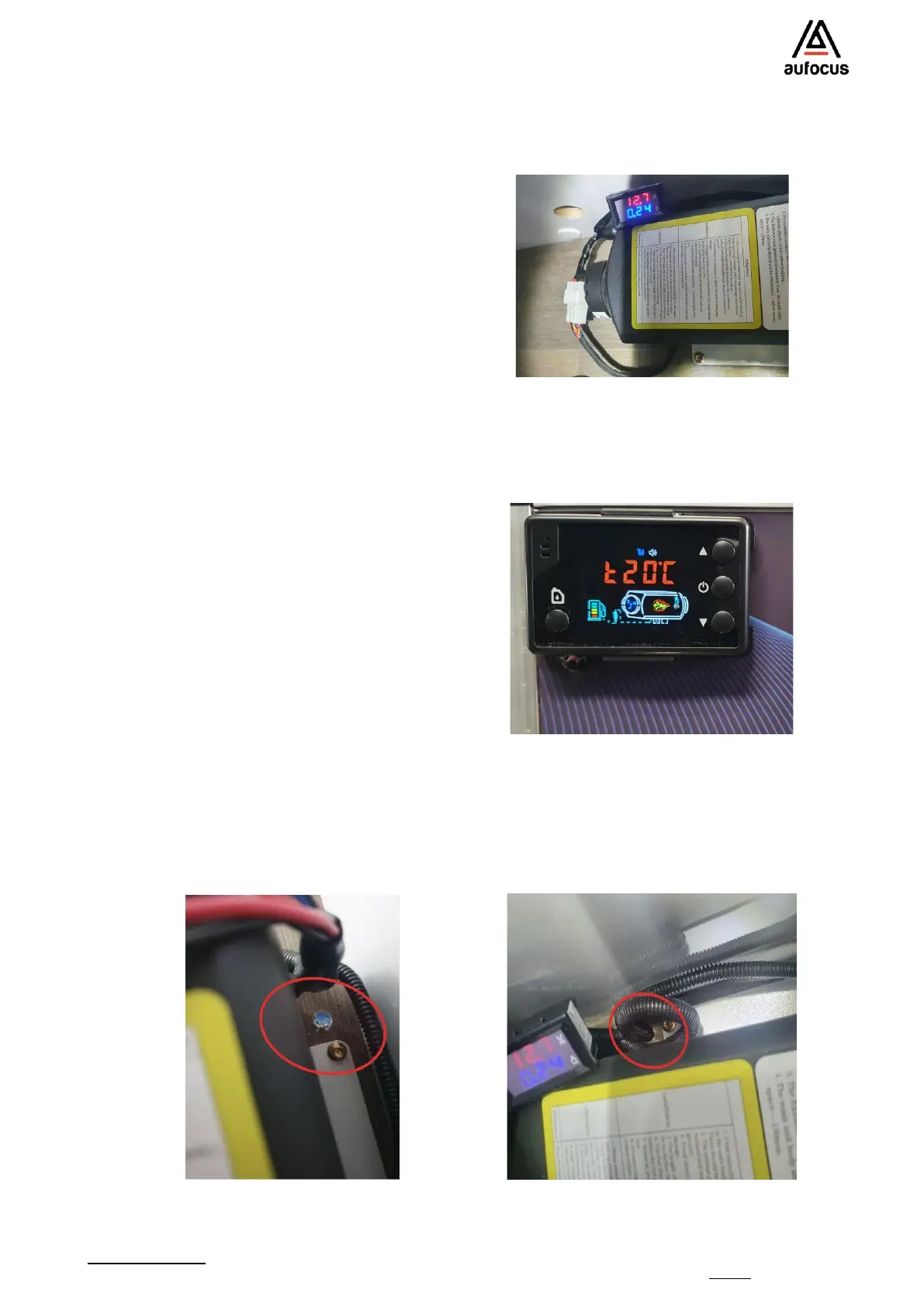
Connect the power cable from the main unit to the main power source. Note. If the power is in
another location, it may be necessary to remove the Anderson plug and run the power cable
through the floor just behind the mounting plate. See image below:
Make sure that the rear intake of the main
unit can receive air from the main cabin. If
required place the other provided vent to
the rear of the unit away from the warm
air vent repeating the process in step 18.
Note: To do this, you will need to unscrew
the lid on the rear of the unit.
Alternatively use a hole saw and simply
create a vent to the main cabin area close
to the rear of the unit as per the image
below.
Attach the LCD panel to the wiring harness
and then mount the LCD panel securely.
Note there is 2.5m of cable for the LCD
panel. Note: The LCD screen has a
temperature senser so ensure that it is
not positioned in front or directly
opposite the warm air vent.


 To Next Page
 Loading...