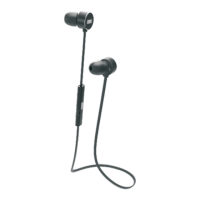
4. Part Names & Functions
English
-4-
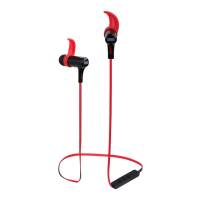
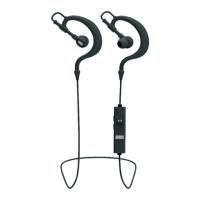
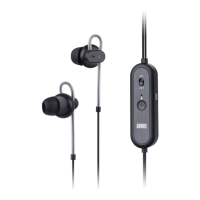
1. Noise Cancelling Switch
2. Microphone
3. Status LED
4. Control Button
R
ON
OFF
1
2
3
4
5
6
7
Press
Press and Hold (2s)
IOS
Pause / Resume Music Playback
Pick up / hang up a call
Next Track
Previous Track
Fast Forward
Rewind
Android
Voice search & Actions
N/A
N/A
N/A
5.2 Noise Cancelling
Switch the noise cancelling switch on to enable the noise
cancelling.
The status LED will light green.
5.3 Remote Control
Whilst connected to a mobile phone or tablet, the control button
enables control of your music or phone calls.
5.4 Ear Piece Setup
Choosing the correct ear buds is important for both noise
reduction and bass reproduction. Please take the time to
choose the pair that fit correctly and create an airtight seal.
5. Operation
5.1 Power
Please fully charge the EP720 before first use or if left unused
for a long period of time.
To charge, use the power cable to connect the headphones to a
powered USB port.
Whilst charging, the status LED lights red or red and green
(when noise cancelling on) and turns off once fully charged.
5. Power Socket
6. Adjustable Ear Stabilizer
7. 3.5mm Audio Jack
-3-


 To Next Page