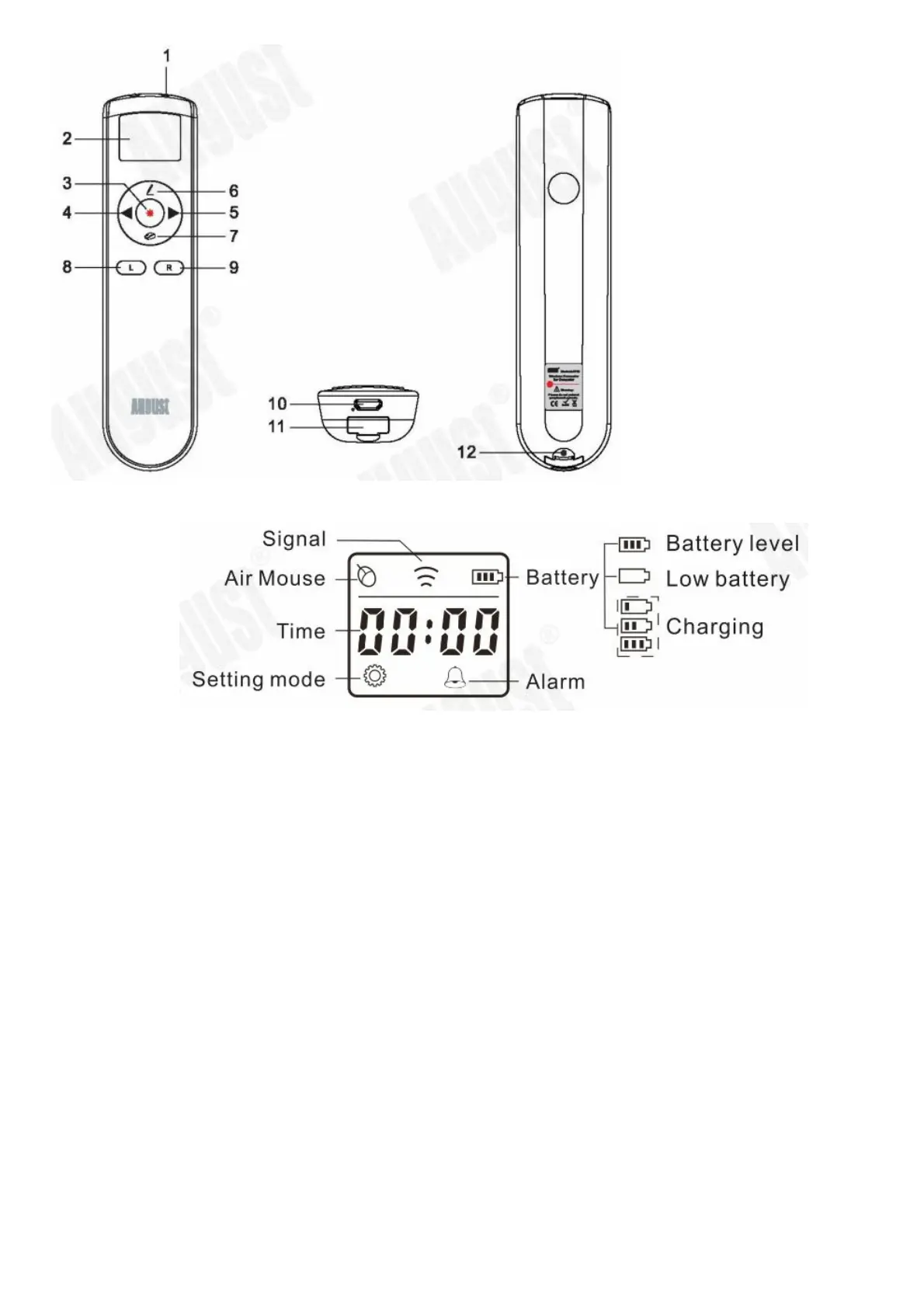
1. Laser emitter
2. LCD display
3. Laser button
Press and hold to light the laser.
4. Page up/ Start slideshow
Press it to go to the previous page.
Press and hold it for 2 seconds for start or stop the slideshow.
5. Page down/ Black screen
Press it to go to the next page.
Press and hold it for 2 seconds for enter or exit the black screen.
6. Note button
In slideshow, press and hold it to make notes on the screen.
Double press it to delete the notes.
7. Air mouse switch
Double press it to switch the air mouse on or off. The mouse icon will appear on the screen when the air mouse
mode is on.
When the air mouse mode is on, press and hold it to control the cursor by hand movement.
8. Left button
Press it for left click function.
9. Right button
Press it for right click function.
Press and hold it to enter or exit the setting mode.
10. USB charging port
11. USB receiver
12. Reset
Installation



 To Next Page