-6-
MB100 will automatically start playing MP3 music once a
memory card or USB stick with music pre-stored plugged
to the player.
Press to change between MP3 player and FM radio
mode and switch between memory card and USB stick
when both are plugged in.
It will start playing USB stick if both an USB stick and
memory card are plugged.
A sign “No” will show if there is no memory card or USB
stick plugged on or no music stored on the card or stick.
Press or to play the next or previous music.
Use keys to select a music track.
Press to pause and resume playing.
Use and on the remote control or press and
hold and on the player to increase and reduce
sound volume.
Use the volume switch at the back of the device to increase
and reduce sound volume.
Use on remote control to change equalizer setting from
EQ1 Normal, EQ2 Pop, EQ3 Rock, EQ4 Jazz, EQ5 Classic,
EQ6 Bass.
If an external audio player is connected to MB110 via Line
In jack, the device works as speakers for the external player.
MODE
“No.”
VOL+ VOL-
EQ
6. MP3 Player
-5-
11.Line In for external audio players
12.Volume switch
13.DC 5V power in
14.Power On/Off switch
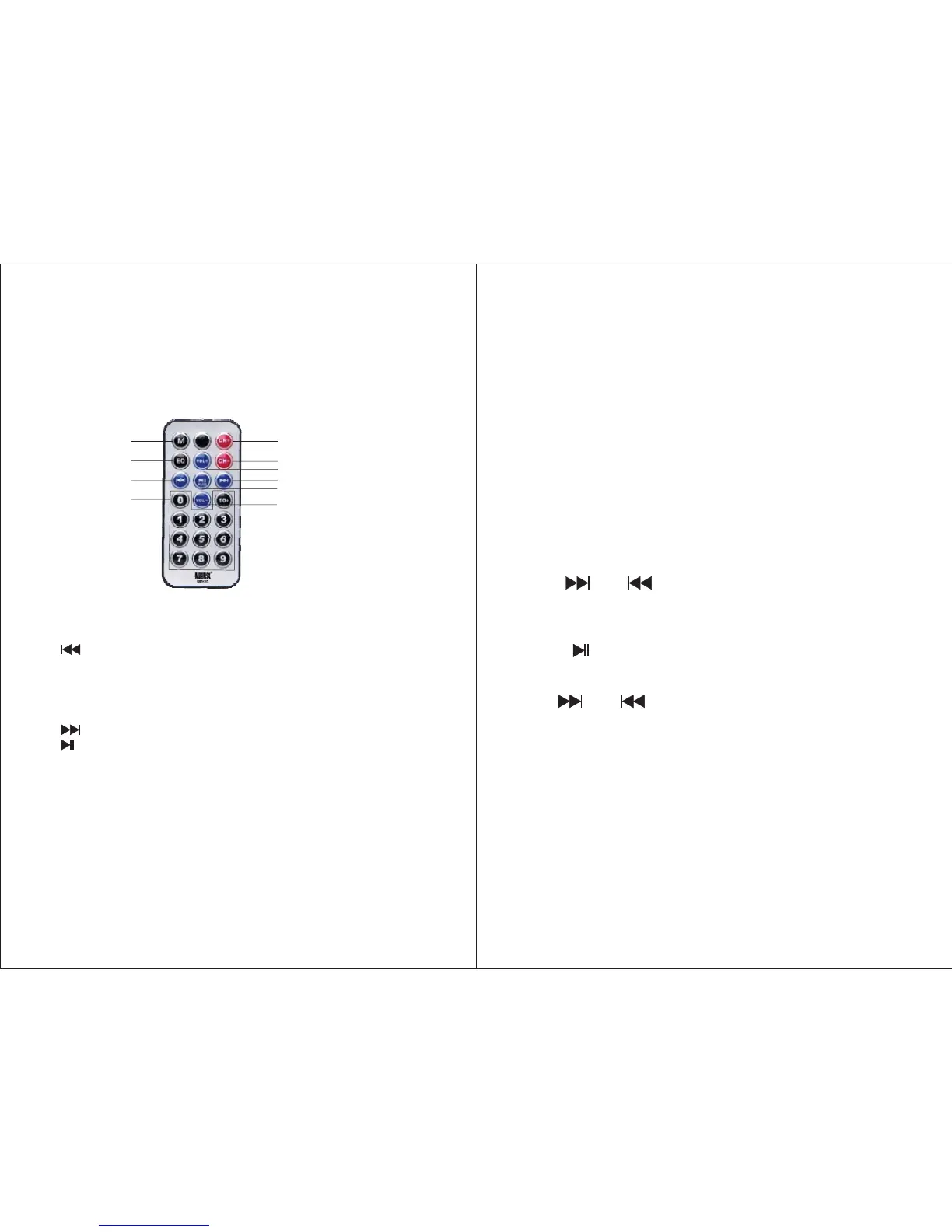
5. Remote Control
1.MODE
2.EQ
3.
4.No. keys to select track of MP3 music
5.CH+
6.CH-
7.VOL+
8.
9.
10.VOL-
1
2
3
4
5
7
9
6
8
10
Switch between MP3 player and FM radio
To change equalizer setting
Previous track of MP3 music
Previous radio station
Next radio station
Increase volume
Next track of MP3 music
Play/Pause MP3 player / Auto scan FM radio
Reduce volume



 To Next Page