-2-
-3-
English
MR250
1
3
2
4
AU DIO IN D C 5V
7
6
NO O FF
5
MR250
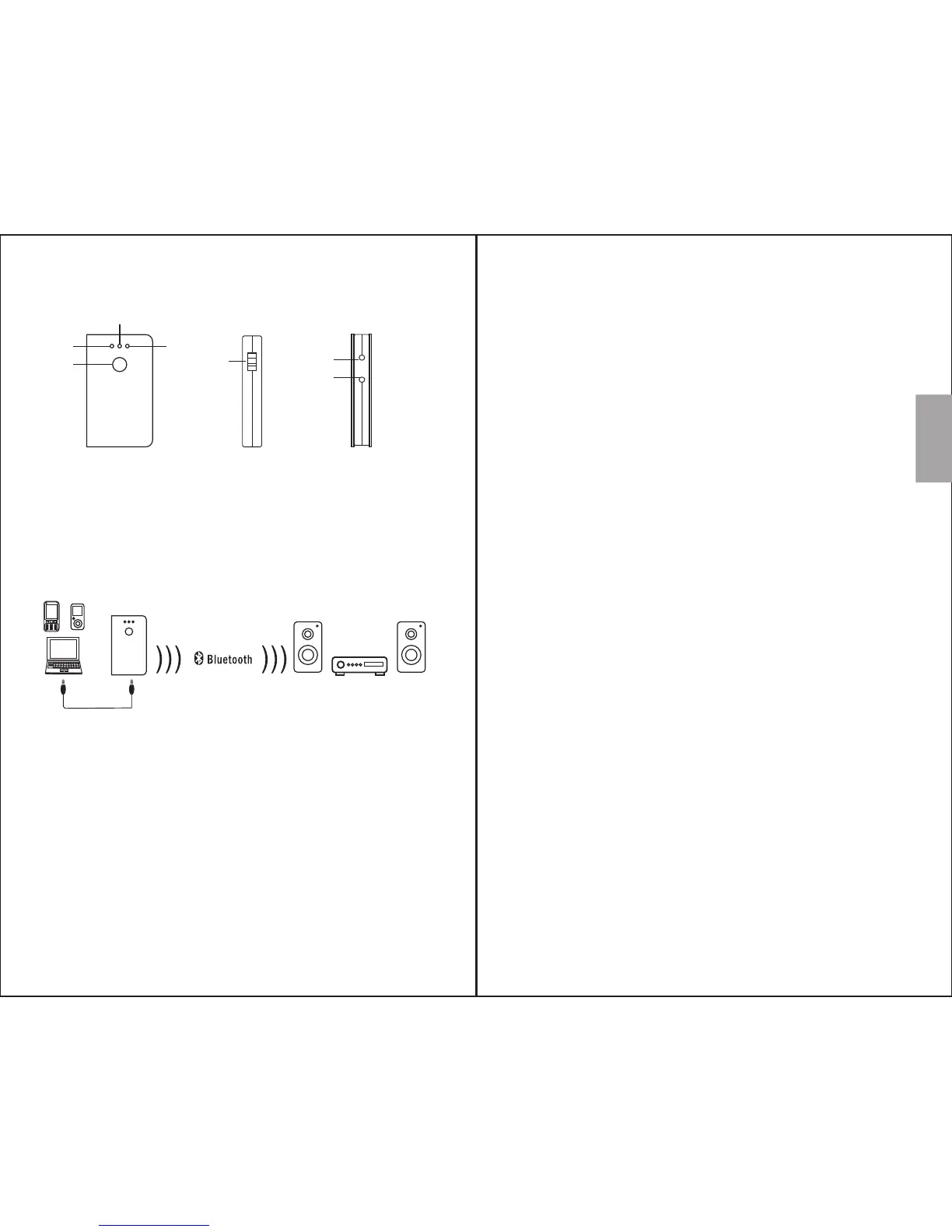
4. Device Layout
1) Operation button
2) Blue status LED
3) Red status LED
4) Power LED
5) Power switch
6) Power socket
7) Audio in socket
5. Connection
6. Operation
Turn on/off the power switch on/off the device.
Once switching on the device, the power LED
lights blue.
6.1 Switch on/off
The device will be in standby mode after
switching on the device. Press and hold the
operation button until the blue status LED flashes
to enter working mode.
6.2 Working / Standby mode
In working mode, the MR250 will automatically
reconnect to the last paired device if it is
available.
Press and hold the operation button until the red
status LED lights red for 1 second to enter
standby mode.
1) In Standby mode, press and hold operation
button until blue and red status flash in turn to
enter pairing mode.
2) Turn on the Bluetooth on your Bluetooth audio
device, and enter pairing mode.
3) MR250 will pair to your device automatically.
4) Once successfully paired, only blue status LED
flashes.
Note:
1. MR250 will pair to any Bluetooth audio device
in pairing mode within the range, please make
sure only the desired device is in pairing mode.
2. To pair to a new device, please disconnect the
current Bluetooth connection on your device
first, then repeat step 1 to 2 in section 6.3.
6.3. Bluetooth connection
7. Charging
Connect the MR250 to a power USB port by using
the provided USB charging cable.
While charging, the power LED will lights red
and go off once the battery is fully charged.


 To Next Page