EasyManua.ls Logo

August VGB100 - Troubleshooting Common Issues; No Video in Preview Screen; Blue Screen or Load Errors; Poor Video Quality

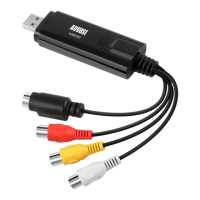
August VGB100
13 pages
Print Icon
To Next Page IconTo Next Page
To Previous Page IconTo Previous Page
Loading...
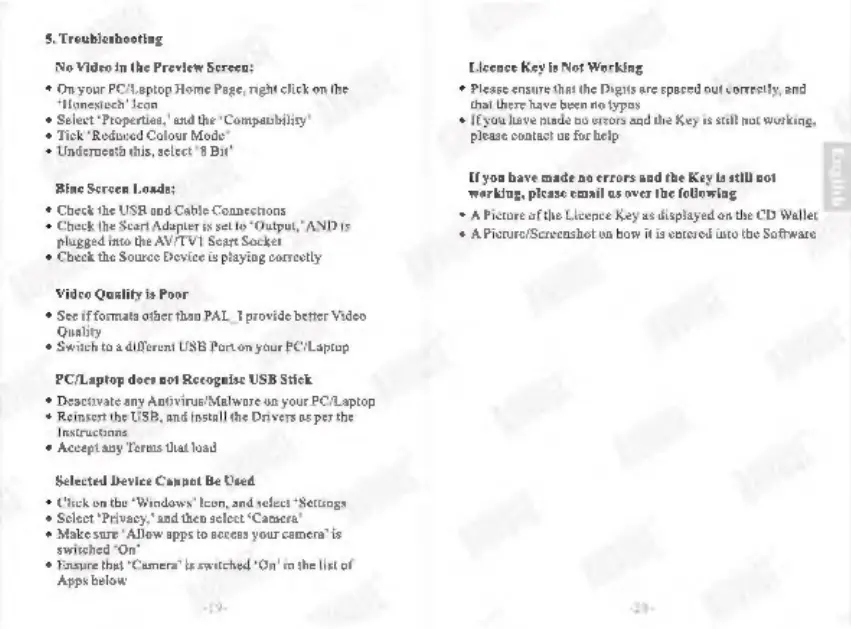
5.
Troublesho
ng
(Video
in
the
Preview
Sereen
+
OnyourPCILaptop
Home
Page;
right
click
onthe
4
Solct
Properties,’
and
he
“Compatibility”
1
Tok
Reduced
Colour
Mode”
is
sleet
8
Bit
‘ue
Screen
Load
+
Check
te
USM and
Cable
Connestione
1
Check
he
Sear
Adapters
eto“
Ostput”
AND
is
plugged
ino
the
AVITVI
Sear
Socket
«+
Check
the
Soure
Device
i
playing
correctly
Video
Quality
is
Poor
+
Sceif
formats
other
than
PAL
I
provide
beter
Video
Quality
«+
Swite
ua
deren
USB
Porton
your
PCLpton
PC/Laptop
docs
not
Recognise
USB
Stick
+
Desesvate
any
Ansvirus/Malware
on
your
PC/Laptop
*
Reinser
the
USB,
and
instal
the
Devers
asperthe
1
Accept
any
Toms
that
oad
Selected
Device
Cs
+
Click
on
the
Windows’
leon,
ad
sleet
“Settings
4
Sect
"Privacy
and'hen
select
"Cane"
lake sure
Allow
apps
to
access
your
cameras
switched
"On"
Hosa
that
"Cs
Apps
below
Be
Used
metas
sitched
Oni
the ist
of
Licence
Key
is
Not
Working.
+
Pease
ensre
that
the
Digis
ae
spaced
out
corey,
and
that
there
have
heen
notype
‘Ifyou
have
made
o
ers
andthe
Key
i
still
ot
working
please
contact
u
for
lp
Ifyou
have
made
no
errors
and
the
Key
leat
not
‘working,
please
email
us
over
the
folowing
+
APicture
of
the
Licence
Key
a
dsplayed
onthe
CD
Wallet
+
APictreScrosashot
on
how
itis
entered
into
the
Software

Other manuals for August VGB100