Specifications
Model
Technology
Frequency Range
Input
Charging Time
Continuous Use Time
Battery Type
Operating Range
Dimensions
Weight
BR-C16
BT 4.1, AVRCP, HFP, HSP
2.402GHz– 2.480GHz
DC 5V
2.5 hours
10 hours
Li-Polymer (150mAh)
Up to 10m / 33’
56 x 56 x 14mm / 2.19” x 2.19” x 0.55”
25g / 0.86oz
- 02 -
Getting Started
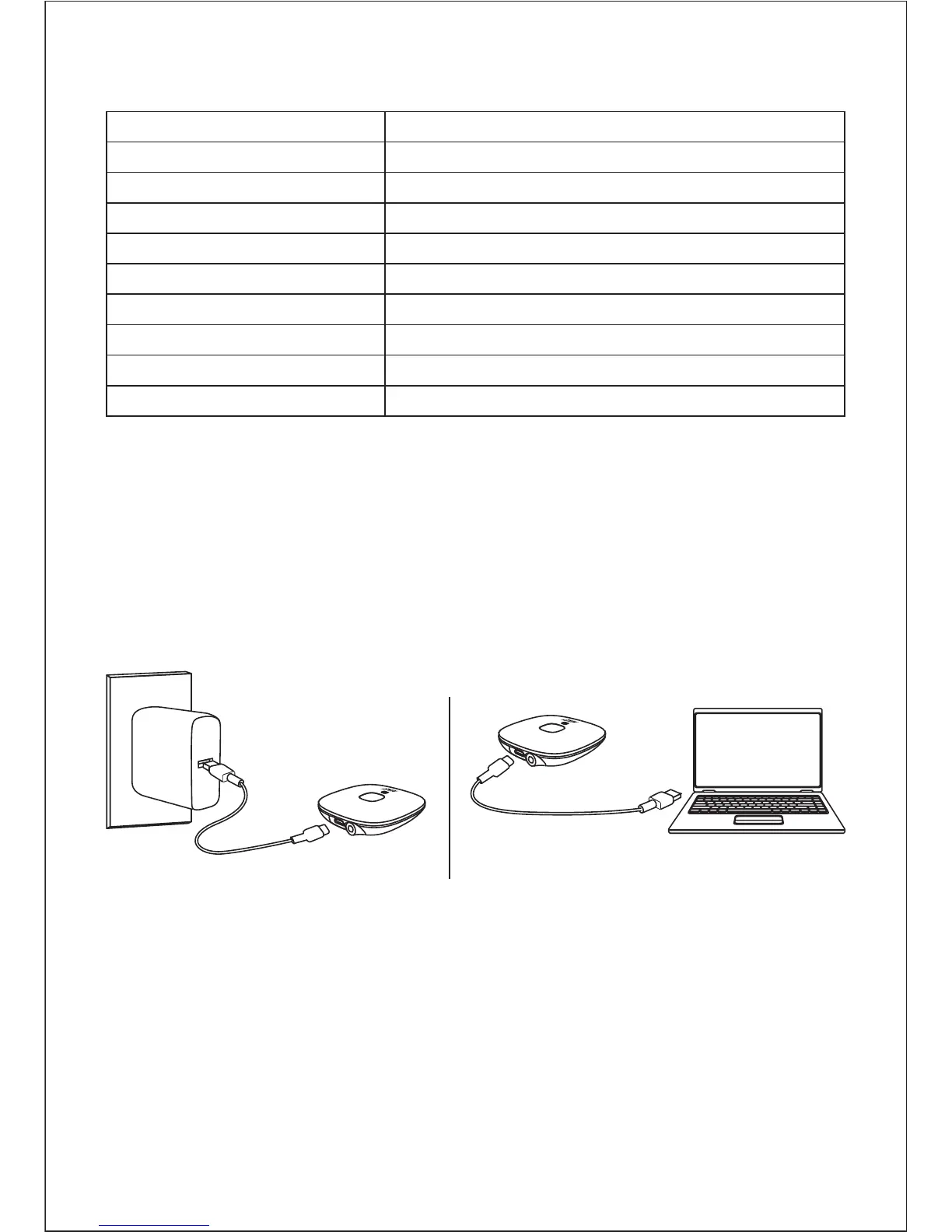
Charging
Fully charge your product before first use. To charge, simply connect
one end of the micro-USB cable to a USB charging port and the other
end to the input port on the product. When the green LED indicator
turns off, your BR-C16 is fully charged and ready for use. Charging takes
around 2.5 hours.
To power on, press and hold the multi-function button for 2 seconds,
and the LED indicator will flash white and green simultaneously
To power off, press and hold the multi-function button for 4 seconds,
and the LED indicator will turn off
●
●
Powering On / Off


 To Next Page