- 04 -
Getting Started
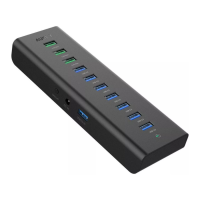
1. Plug the CB-H36 into a USB-A port on your laptop or desktop computer
2. Connect your mouse, keyboard, flash drive, or other USB-A devices to the Hub
Product Care & Use
● For best performance, the power demand of connected devices shouldn’t
exceed the total current output of 2.4A. Not recommended for charging tablets
and other devices with high power demand
● Keep away from liquids and extreme heat



 To Next Page