Need help?
Do you have a question about the Aukey KM-G14 and is the answer not in the manual?
Select from 18 lighting effects using Fn key combinations on the center-right.
Press Fn + `~ twice to enter customization mode; LED indicators will flash rapidly.
Troubleshoot connection issues by trying a direct port or waiting 10-15 seconds.
Contact support via email for questions, support, or warranty claims based on region.
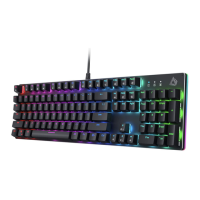
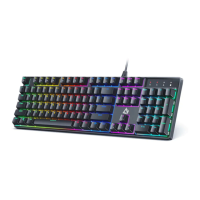
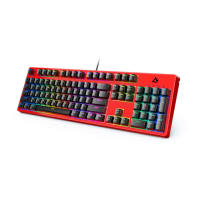
The AUKEY KM-G14 RGB Mechanical Keyboard is a high-performance input device designed for an enhanced typing and gaming experience. This user manual provides comprehensive instructions for its setup, operation, and maintenance, ensuring users can fully leverage its capabilities. The keyboard is built with durability and user customization in mind, offering a range of features that cater to both casual users and enthusiasts.
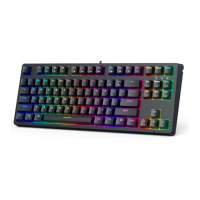
The primary function of the AUKEY KM-G14 is to serve as a reliable and responsive input device for computers and laptops. It features 87 keys, providing a compact yet fully functional layout suitable for various tasks, from typing documents to engaging in intensive gaming sessions. The use of AUKEY Red mechanical key switches ensures a tactile and audible feedback, which is often preferred by users for its precision and comfort during prolonged use. The RGB lighting is a significant feature, allowing users to personalize the aesthetic of their workspace and create an immersive environment. This keyboard is designed to be compatible with a wide range of operating systems, including Windows XP, 7, 8, 10, and Mac OS, making it a versatile choice for diverse computing setups.
The AUKEY KM-G14 offers extensive usage features, particularly in its customizable RGB lighting and convenient function keys.
Function Keys: The keyboard integrates a series of function key combinations (FN + F1 through FN + F12) that provide quick access to multimedia controls and system shortcuts.
Lighting Effects: The RGB lighting is a standout feature, offering 18 distinct lighting effects and 9 color options, providing extensive customization.
Custom Lighting Effect Editing: The keyboard allows users to create and save their own custom lighting effects.
Windows Key Lock: The "Fn + Windows" key combination allows users to lock or unlock the Windows key, preventing accidental presses during gaming or other critical tasks.
Resetting Settings: In case of configuration issues or to revert to default settings, users can perform a full reset by pressing "Fn + Esc + F1 + F3 + F5." This action will reset all keyboard settings, including lighting configurations.
Connectivity: The keyboard connects to a computer or laptop via a USB connector. For optimal performance and to avoid latency issues, a direct connection is recommended. If a USB hub is used, it's advised to allow 10-15 seconds for proper detection and to use powered hubs to ensure sufficient power supply to the keyboard.
Maintaining the AUKEY KM-G14 is straightforward, focusing on ensuring its longevity and optimal performance.
Keycap Compatibility: The keyboard is designed to be compatible with most Cherry MX keycaps and other keycaps that share the same stem design. This feature allows users to easily replace or customize keycaps, providing flexibility for personalization or replacement of worn-out keycaps. A keycap puller is included in the package, simplifying the process of removing keycaps without damaging the switches.
Environmental Care: To ensure the keyboard's durability, it is recommended to keep it away from extreme heat. Exposure to high temperatures can potentially damage the internal components or the keycap material.
Troubleshooting: The manual provides basic troubleshooting steps for common issues. If the keyboard is not responding, the first step is to unplug and re-plug the USB connector. If this does not resolve the issue, users are advised to contact customer support.
Customer Support: AUKEY provides dedicated customer support for its products. Users can contact the support team via email, specifying their product model number and Amazon order number. This ensures efficient assistance for any questions, support needs, or warranty claims. It's important to note that AUKEY directly supports products purchased from AUKEY; for purchases from other sellers, users should contact the respective seller for service or warranty issues.
In summary, the AUKEY KM-G14 RGB Mechanical Keyboard is a feature-rich and user-friendly device that combines robust mechanical switches with extensive RGB lighting customization and convenient function keys. Its design prioritizes both performance and personalization, making it a versatile tool for a wide range of computing activities. With clear instructions for setup, operation, and maintenance, users can enjoy a reliable and enjoyable experience with this keyboard.
 General
| Type | Mechanical |
|---|---|
| Switch Type | Outemu Blue |
| Key Rollover | N-Key Rollover |
| Backlight | RGB |
| Connection Type | Wired |
| Keyboard Layout | US QWERTY |
| Number of Keys | 104 |
| Keycap Material | ABS |
| Interface | USB |
| Compatibility | Windows, Mac OS |

 To Next Page