EasyManua.ls Logo

auna 10032462 - User Manual

auna 10032462
52 pages
Go to English
Print Icon
To Next Page IconTo Next Page
Loading...
www.auna-multimedia.com
Stereosonic
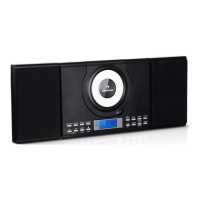
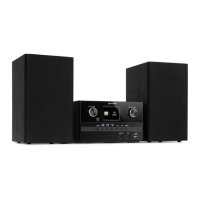
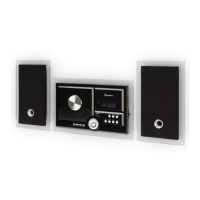
Flache Stereoanlage mit CD-Player
Flat Micro System with CD Player
10032461 10032462

Questions and Answers

  • M
    matthewmarksAug 15, 2025
    Why is there no sound coming from my auna 10032462 Stereo System?
    • H
      Henry ZavalaAug 15, 2025
      If you are not getting any sound from your auna Stereo System, here are a few things to check: * Make sure the volume isn't set to the minimum. * Ensure headphones are disconnected. * If using Bluetooth, verify the unit is close enough to the Bluetooth source device and properly paired.
  • J
    Jennifer LeAug 18, 2025
    What to do if the auna Stereo System remote control does not operate?
    • S
      smithmichelleAug 18, 2025
      If the remote control for your auna Stereo System isn't working, please check the following: 1. Verify that the AC power lead is plugged in. 2. Ensure the battery polarity is correct. 3. Replace the battery if it is dead. 4. Adjust the distance or angle to the unit. 5. Make sure the remote control sensor is not exposed to strong light.
  • B
    Brandy GonzalezAug 22, 2025
    Why is the BT sound interrupted or distorted on my auna 10032462 Stereo System?
    • D
      davidhuntAug 22, 2025
      If the Bluetooth sound on your auna Stereo System is interrupted or distorted, it could be due to interference. Try moving the unit away from devices that generate electromagnetic radiation. Also, make sure there are no obstacles between the unit and the Bluetooth device.
  • T
    Timothy WilliamsAug 25, 2025
    What to do if disc playback skips or stops on my auna 10032462 Stereo System?
    • W
      William HernandezAug 26, 2025
      If your auna Stereo System skips or stops during disc playback, try these steps: * Move the unit away from any excessive vibrations. * Clean the disc. * Allow the unit to dry out if condensation has formed inside.
  • J
    Joshua BrownAug 28, 2025
    Why won't disc playback start on my auna 10032462 Stereo System?
    • Y
      Yvette KingAug 29, 2025
      If disc playback won't start or stops unexpectedly on your auna Stereo System, make sure the disc is loaded face up. Ensure that the disc meets the required standards and is not distorted or scratched.
  • M
    Michelle DeanSep 1, 2025
    Why is my USB device not detected by the auna 10032462?
    • M
      Melissa LongSep 1, 2025
      If your auna Stereo System isn't detecting your USB device, ensure that the device contains MP3 or WMA files and is properly connected. Also, verify that the device is not an MTP device and doesn't contain only AAC files.
  • K
    Kenneth ZamoraSep 4, 2025
    What to do if USB playback does not start on auna 10032462?
    • W
      william42Sep 4, 2025
      If USB playback does not start on your auna Stereo System, make sure the file is not a copyright-protected WMA file or a false MP3 file. Try using a valid MP3 file.
  • M
    Michael CummingsSep 7, 2025
    How to fix auna Stereo System when a button press gets no response?
    • K
      Kim DavisSep 7, 2025
      If your auna Stereo System isn't responding when you press a button, set the unit to the power stand-by mode and then turn it back on.
  • K
    Kyle ArmstrongSep 12, 2025
    How to stop unusual noises from auna 10032462 Stereo System radio?
    • A
      aguilarkimberlySep 12, 2025
      To stop unusual noises from the auna Stereo System radio, move the aerial away from the AC power lead if it is located nearby.

auna 10032462 Specifications

General IconGeneral
BluetoothYes
FM RadioYes
CD PlayerYes
USB PortYes
AUX InputYes
Remote ControlYes
Supported radio bandsFM
Impedance4 Ohm
EqualizerYes
Playback disc typesCD, CD-R, CD-RW
Headphone outputs1
Headphone connectivity3.5mm jack
Audio formats supportedMP3

Related product manuals