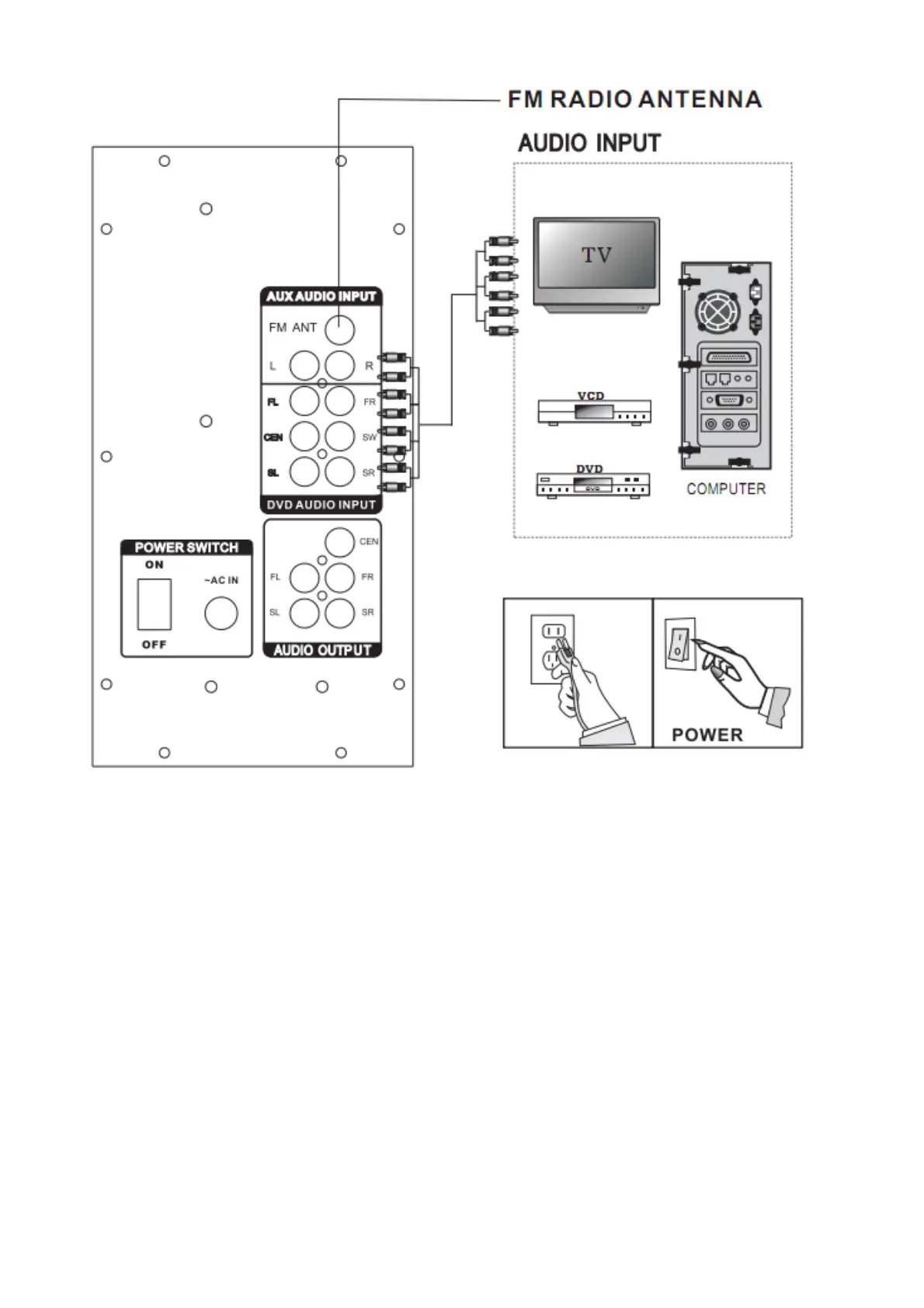
Connection equipment:
Jacks and plugs of the connecting cord are color-codes as follows:
Red jacks and plugs: For the right channel of audio signals.
White jacks and plugs: For the left channel of audio signals.
Note: Insert the plugs fully into the jacket. Loose connections may produce a humming sound or other noise
interference.
Important: Connect the speakers an all other external equipment and finally connect the AC power cord.




 To Next Page