EasyManua.ls Logo

auna Sarah Ann - User Manual

auna Sarah Ann
56 pages
Go to English
Print Icon
To Next Page IconTo Next Page
Loading...
www.auna-multimedia.com
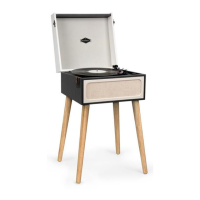
Sarah Ann
Plattenspieler mit BT
Turntable with BT
Tocadiscos con BT
Platine vinyle avec BT
Giradischi con BT
10033175

Questions and Answers

  • J
    Joseph WilsonAug 4, 2025
    What to do if my auna Sarah Ann Turntable won't play vinyl records?
    • J
      Jill HoAug 4, 2025
      If your auna Turntable isn't playing vinyl records, ensure you've selected the correct speed (33 1/3, 45, or 78 RPM) and that the power adapter is correctly plugged in.
  • T
    tinazimmermanAug 11, 2025
    What to do if there is no sound via the Stereo RCA port on my auna Sarah Ann?
    • P
      Paul OconnorAug 11, 2025
      If you're not getting any sound through the Stereo RCA port on your auna Turntable, make sure the cable is firmly connected to both the turntable and your amplifier or device. Also, check the volume level on your amplifier or other device.
  • L
    Leonard JohnsonAug 19, 2025
    How to fix auna Sarah Ann not powering on?
    • K
      kimgomezAug 19, 2025
      If your auna Turntable isn't powering on, make sure the unit’s power cord is connected to an appropriate electrical outlet and the wall socket is switched ON.
  • T
    thomassmithAug 27, 2025
    What to do if nothing plays via the AUX OUT connection on my auna Sarah Ann?
    • M
      Megan PierceAug 27, 2025
      If nothing is playing through the AUX OUT connection on your auna Turntable, ensure the cable is firmly connected and check that your external device is clean and undamaged.

Summary

Declaration of Conformity

CE Directives and Producer Information

Details the European directives the product conforms to and producer information.

Safety Instructions

General Safety Hints

General safety advice for using the turntable, covering location, environment, and cleaning.

Installation Safety

Specific placement requirements for safe installation, including ventilation and power access.

Product Overview

Turntable Components Identification

Identifies and describes the main parts of the turntable using a visual diagram and labels.

Before First Use

Attaching the Legs

Instructions on how to attach or detach the turntable's legs for stable placement.

Initial Setup Procedure

Steps for connecting the power adapter and ensuring correct voltage for initial operation.

Operation

Bluetooth, USB;SD, and Encoding Functions

Explains music playback from USB/SD/Bluetooth and recording features.

Bluetooth Control and Source Selection

Details how to control Bluetooth and cycle through input sources like USB/SD/BT.

Amplifier and External Audio Connection

Guides on connecting the turntable to external Hi-Fi systems using RCA cables.

Vinyl Record Playback Guide

Step-by-step instructions for playing vinyl records, including speed and stylus placement.

Auto Stop Functionality

Explains the auto-stop feature for automatic record playback completion.

Care and Maintenance

Cleaning the Turntable and Stylus

Guidelines for cleaning the turntable, stylus, and housing to prevent damage.

Safe Transporting Procedures

Instructions on how to properly secure the stylus and pick-up arm for safe transportation.

Replacing the Stylus

Stylus Cartridge Replacement Steps

Detailed steps with images showing how to remove and replace the stylus cartridge.

Installing a New Stylus Cartridge

New Cartridge Installation Guide

Guides on carefully installing a new stylus cartridge, including connecting audio wires.

Troubleshooting

Common Issues and Solutions

Lists common problems encountered with the unit and their corresponding solutions.

Hints on Disposal

Responsible Product Disposal

Information on how to dispose of the product responsibly according to WEEE regulations.

auna Sarah Ann Specifications

General IconGeneral
Brandauna
ModelSarah Ann
CategoryTurntable
LanguageEnglish

Related product manuals