Assemby Instructions for APT4300 – Aunger 4’x 3’ Trailer
16
Trouble Shooting Guide
If your problem is not listed below or you are having difficulty in any step, please contact
Aunger on 07 3260 2400.
Lights not working
If you find a light/s not working, there are a few steps you can undertake to help diagnose
the problem. Always ensure the trailer plug is NOT connected to the vehicle when
undertaking these steps.
1) If a light works on one side but not on the other, try opening the light fixture and
swapping over the globes to ensure it is not a faulty or broken globe.
2) Check all connections to the light, ensure the clips are secure on the terminal and
check all wires are connected.
3) Open the trailer plug to check that all wires are connected into a slot
4) If no obvious fault can be seen, contact Aunger for technical assitance
Noisy Wheel Bearings
1) Check to see if the hub has any side to side to movement. If it does, the stub axle
nut needs to be tightened. See ’wobbly wheel’ below
2) Bearings may need grease
3) Once assembled the grease needs to be moved around on the bearings/ within the
hub, try spinning the wheel repeatedly to assist in lubricating the hub and bearings.
Wobbly Wheel
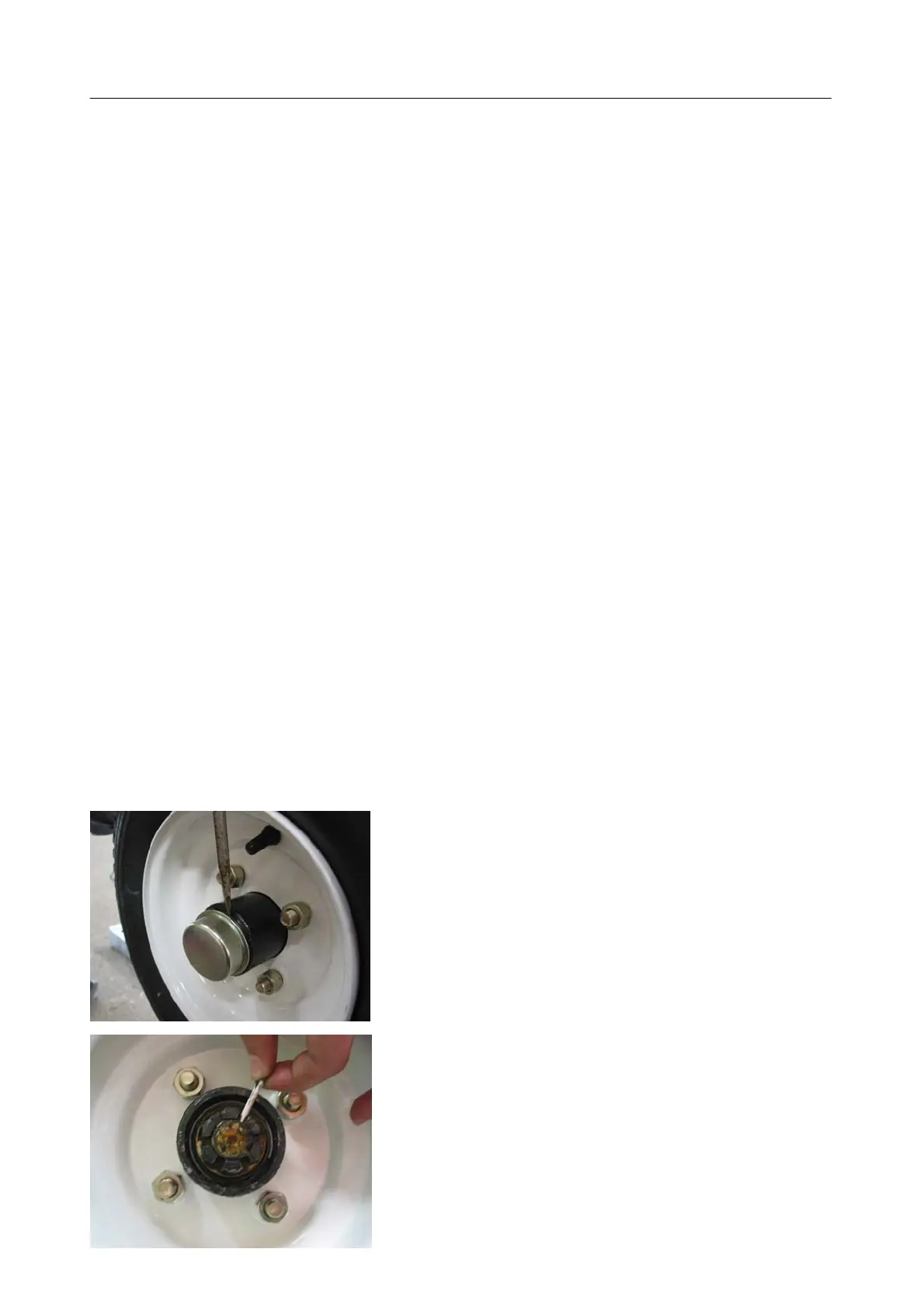
If your wheel ’wobbles’ from side to side it is likely that the hub requires further tightening.
See diagrams below for information on how to do this:
1. Remove the Dust Cover on the hub with a flathead
screwdriver
2. Remove the split pin


 To Next Page
 Loading...