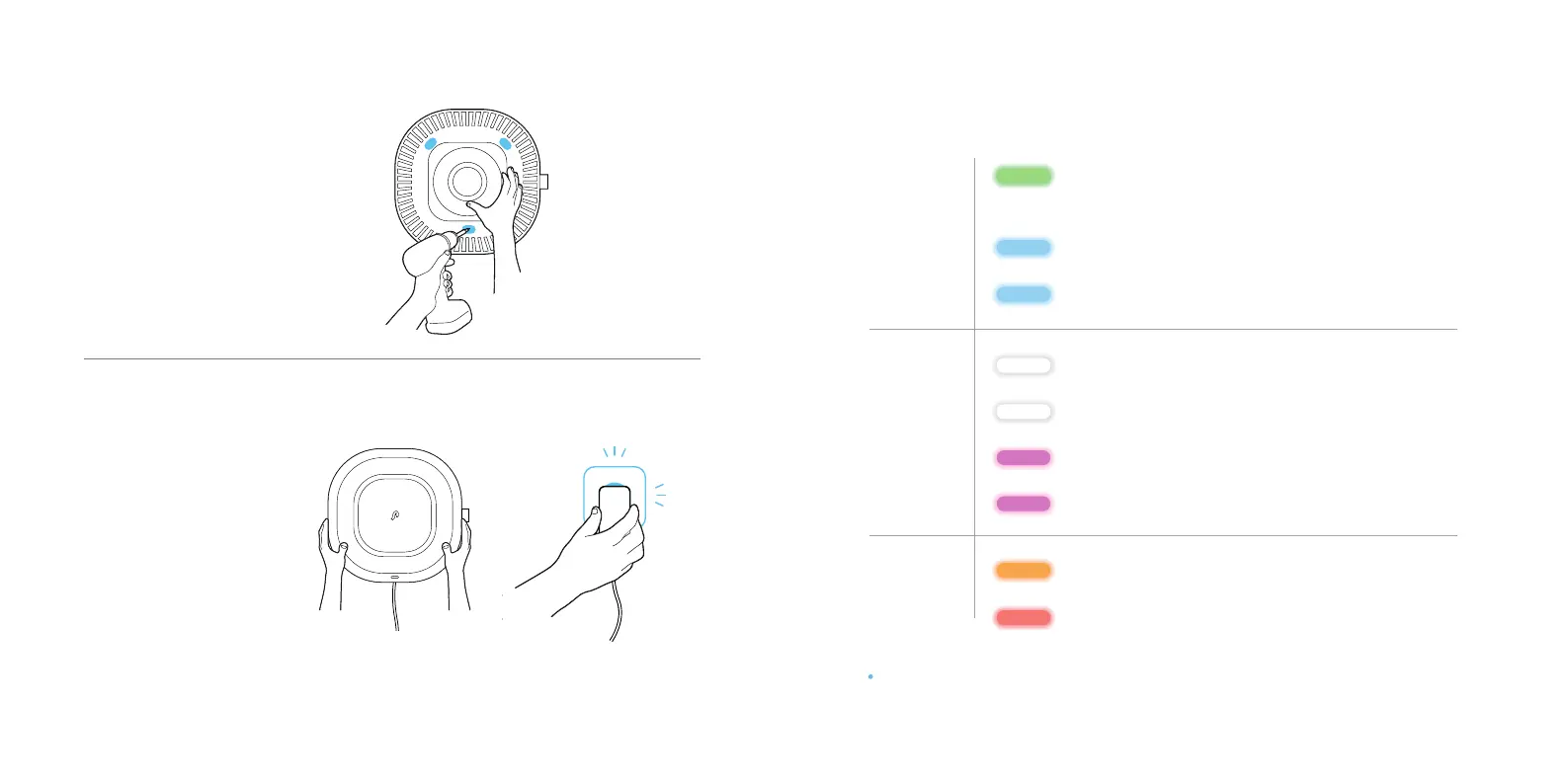
3. Mount Aura Air
Mount the Base
using the screws
and washers.
4. Plug and pair
Close the Device cover
and plug Aura Air into an
electrical outlet.
LED Indication Guide
Network
Blinking green: Aura has entered listening mode /
waiting for new WiFi
Blinking blue: Connecting to network
Fast blinking blue: Connecting to the cloud
Breathing white: Aura is working properly
Blinking white: No WiFi connection
Breathing magenta: Aura has entered safe mode
Blinking magenta: Firmware update pending
Blinking orange: Device cover is open
Blinking red: High concentration of CO /
smoke alert
Note: If necessary, press the setup button for 4 seconds to enter Listening Mode.
Operation
Alerts
Pair Aura Air to your
WiFi network via app.
Connect to
Aura- xxxxxx
in your network list.
Enjoy Fresh Air.


 To Next Page