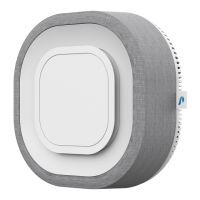
Pre-filter cleaning
Note: We will notify you through the app when it's time to wash your
Pre-filter.
1. Unplug Aura Air from the electrical outlet.
2. Gently remove the Front cover and Pre-filter.
3. Detach the Pre-filter from the Front cover.
4. Wash the Pre-filter with water (no chemicals).
5. Dry the Pre-filter before placing it back.
6. Plug Aura Air back into the electrical outlet and enjoy fresh air.
Ray-Filter
TM
replacment
Note: We will notify you through the app when it's time to replace
your Ray-Filter
TM
.
1. Unplug Aura Air from the electrical outlet.
2. Gently remove the Device cover with the Ray-Filter
TM
.
3. Place the new Ray-Filter
TM
into the Device cover.
4. Put back the Device cover.
5. Plug Aura Air into the electrical outlet and enjoy fresh air.
Product Specifications
Supply
Operating
Conditions
Storage
Conditions
Size
Weight
Wireless
Communication
Power Consumption
Voltage
Temperature
Humidity
Temperature
Humidity
110-240 V
-0°C to 40°C
32°F to 104°F
15-90%
-40°C to 85°C
-40°F to 185°F
0-90%
WiFi 2.4 G
34 W
37.5x37.5x15 cm
5.5 kg
14.8x14.8x6 in
12.1 lb


 To Next Page
 Loading...