
 Need help?
Do you have a question about the aurafitness BS20 and is the answer not in the manual?
Download the Fitdays app, remove battery cover, and place the scale on a flat surface.
Ensure correct body posture and hand placement on sensors for accurate measurements.
Lists critical warnings regarding medical implants, overloading, water, and children.
Details symbols for low battery, overload, and errors displayed on the scale.
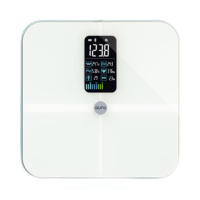
Identifies key parts of the scale, including sensors, hand bar, and feet.
Guide to scanning QR code or downloading and installing the Fitdays app from app stores.
Steps for registering an account and entering personal data for accurate readings.
Instructions to enable Bluetooth and location services on your device for app connectivity.
Steps to pair the scale via Bluetooth and perform measurements using the app.
Steps to troubleshoot Bluetooth pairing failures and ensure connectivity.
Solutions for issues like body fat data not displaying or incorrect weight/muscle ratio readings.
Tips for obtaining the most accurate body composition readings.
Procedures for resetting the scale and troubleshooting power-on issues.
How to change language/units and where to find more help in the Fitdays app.
 General
| Brand | aurafitness |
|---|---|
| Model | BS20 |
| Category | Scales |
| Language | English |

 To Next Page