Understanding the Technology
AURALiC streaming devices have the ability to work with different technologies and
control software. The most common way to operate your new streamer is in Lightning
mode. This is when you take full advantage of our Lightning Streaming Platform by
controlling it with our iOS App Lightning DS or another OpenHome protocol based
control software. When operating in Lightning mode, there are three fundamental
elements to the system: Renderer, Server, and Controller. The Renderer is the physical
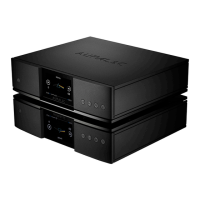
device that plays the music, e.g. ARIES G2.2. The Server provides the music library. When
playing files stored locally on your network, the server can be our Lightning Server or
any other DLNA-based server. If you use an internet streaming service like Qobuz, Tidal,
or Amazon Music, that platform acts as the server as well.
The Controller is the software you use to browse and select music. With AURALiC
products, you have the freedom to choose from a number of different Controller
options. When operating in Lightning mode, you can use our Lightning DS App or any
OpenHome protocol based software such as BubbleUPnP or Kazoo as your controller.
Operating in this mode allows the Renderer to fetch the music data directly from the
Server without passing through the Controller. Since Lightning mode is an integral part
of our system, it allows us to apply some advanced technologies, like our memory cache,
to optimize the sound quality. This feature preloads the music data from the server into
the Renderer’s memory, allowing it to be played bit-perfect from the most pristine
environment possible.
Your AURALiC streamer can also work in many ways other than Lightning mode. If you
prefer the Roon ecosystem, the ARIES G2.2 will operate seamlessly as a certified
RoonReady endpoint. It also works directly with TIDAL Connect, Spotify Connect, and
provides the option of an AirPlay or Bluetooth connection. Each of these systems has its
own specific operating environment, which requires us to bypass our memory cache
system. Some of the other processing features available via Lightning mode may be
disabled as well. Your ARIES G2.2 will sound slightly different when using these software
options, but not necessarily worse. Each of these systems uses its own technology to
optimize for sound quality.


 To Next Page