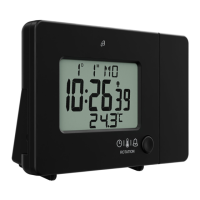
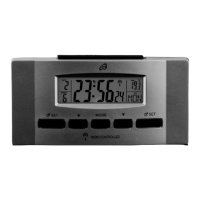
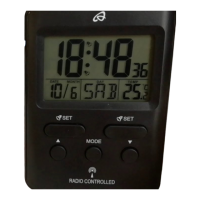
Set the hours, minutes, year, month, day and language
of the day of the week display in the same way. The
following languages are available: GER = German,
FRA = French, ITA = Italian, NET = Dutch, ESP =
Spanish, DAN = Danish, ENG = English. Press MODE
14 to confirm your setting.
Alarm
The alarm clock has 2 alarms which can be set
separately. Alarm 1 and Alarm 2.
Press and hold SET 16 or SET 12 to enter alarm
time setting mode. The hour will blink on the display.
Press 15 or 13 to set the hour and confirm
your setting by pressing MODE 14. Set the minutes
and the days of the week in the same way. The
following days of the week are available: M-S =
Monday through Sunday, M-F = Monday through
Friday, S-S = Saturday through Sunday.
Activating or deactivating the alarm
Press SET 16 or SET 12 in normal time display
mode to activate or deactivate alarm 1 or alarm 2. The
bell symbol 5 or appears when an alarm is
activated.
SNOOZE
When the alarm sounds, press SNOOZE/LIGHT 4 on
the top of the alarm clock. The light will be activated
briefly, Z
Z
and the bell symbol will blink on the display.
The alarm is briefly deactivated and will sound again
after about 5 minutes. Press any button other than
SNOOZE/LIGHT 4 to stop the alarm.
Replacing the batteries
Replace the batteries when the battery symbol 8
appears on the display. Open the battery
compartment on the back side of the alarm clock and
insert two 1.5V AAA R03/LR03 batteries in the correct
polarity. Close the battery compartment. All settings
are lost when replacing the batteries.
Cleaning instructions
Clean the alarm clock with a soft, dry and lint-free cloth.
A glasses cleaning cloth is ideal.
Simplified EU declaration of
conformity
Hereby, digi-tech gmbh declares that the radio
equipment type 4-LD4587 is in


 To Next Page