21 GB
The alarm signal is silenced and the displays
or and Z
Z
flash.
The alarm signal sounds again after approx.
5 minutes.
Press the SELECT button
19
to deactivate the
snooze function.
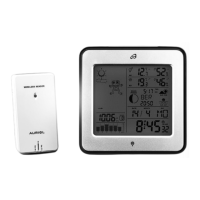
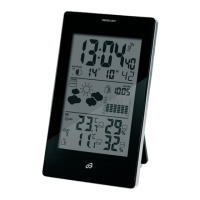
Displaying temperature
The LC display shows the indoor temperature
6
and the outdoor temperature
2
.
Press and hold down the SELECT button
19
for approx. 3 seconds. The °C display flashes.
Press the SET / RESET button
20
to switch be-
tween the °C (Celsius) and °F (Fahrenheit)
temperature scales.
Press the SELECT button to confirm your
settings.
Calling up the minimum /
maximum values
The weather station stores the maximum and mini-
mum values of the outdoor sensor and of the
weather station itself.
Press the SELECT button
19
to display the
maximum values of the indoor
4
and out-
door temperature
17
.
Press the SELECT button again to display the
minimum values of the indoor and outdoor
temperature.
96385_aur_Temperaturstation_content_PL_HU_SI_CZ_SK.indd 21 13.01.14 12:33


 To Next Page