11 GB/IE/CY
Operation / Troubleshooting
Cities Dis-
play
UTC Summer /
Winter Time
10 London LO +0 DCF schedule
11 Frankfurt FF +1 DCF schedule
12 Paris PA +1 DCF schedule
13 Madrid MA +1 DCF schedule
14 Rome RO +1 DCF schedule
15 Zurich ZU +1 DCF schedule
16 Cairo CA +2 DCF schedule
17 Moscow MO +3 DCF schedule
18 Dubai DU +4 Manual Set +
/
-1H
19 India IN +6.5 Manual Set +
/
-1H
20 Bangkok BK +7 Manual Set +
/
-1H
21 Hong
Kong
HK +8 Manual Set +
/
-1H
22 Beijing BJ +8 Manual Set +
/
-1H
23 Tokyo TY +9 Manual Set +
/
-1H
24 Adelaide AD +9.5 Manual Set +
/
-1H
25 Sydney SY +10 Manual Set +
/
-1H
26 Auckland AK +12 Manual Set +
/
-1H
j Press the MODE button
22
to confirm the setting.
j Press the MODE button
22
three times.
j Press and hold down the MODE button
22
for
approx. 2 seconds. The day of the week
8
,
month
9
and date displays will appear in the
display
10
.
Q
Displaying the temperature
in °C / °F
The current inside temperature
6
is indicated on
the LCD.
j Press the DOWN button
17
to switch between
the Celsius and Fahrenheit temperature scales
5
.
Q
Phases of the moon
The radio-controlled clock indicates the current phase
of the moon
7
on the LCD.
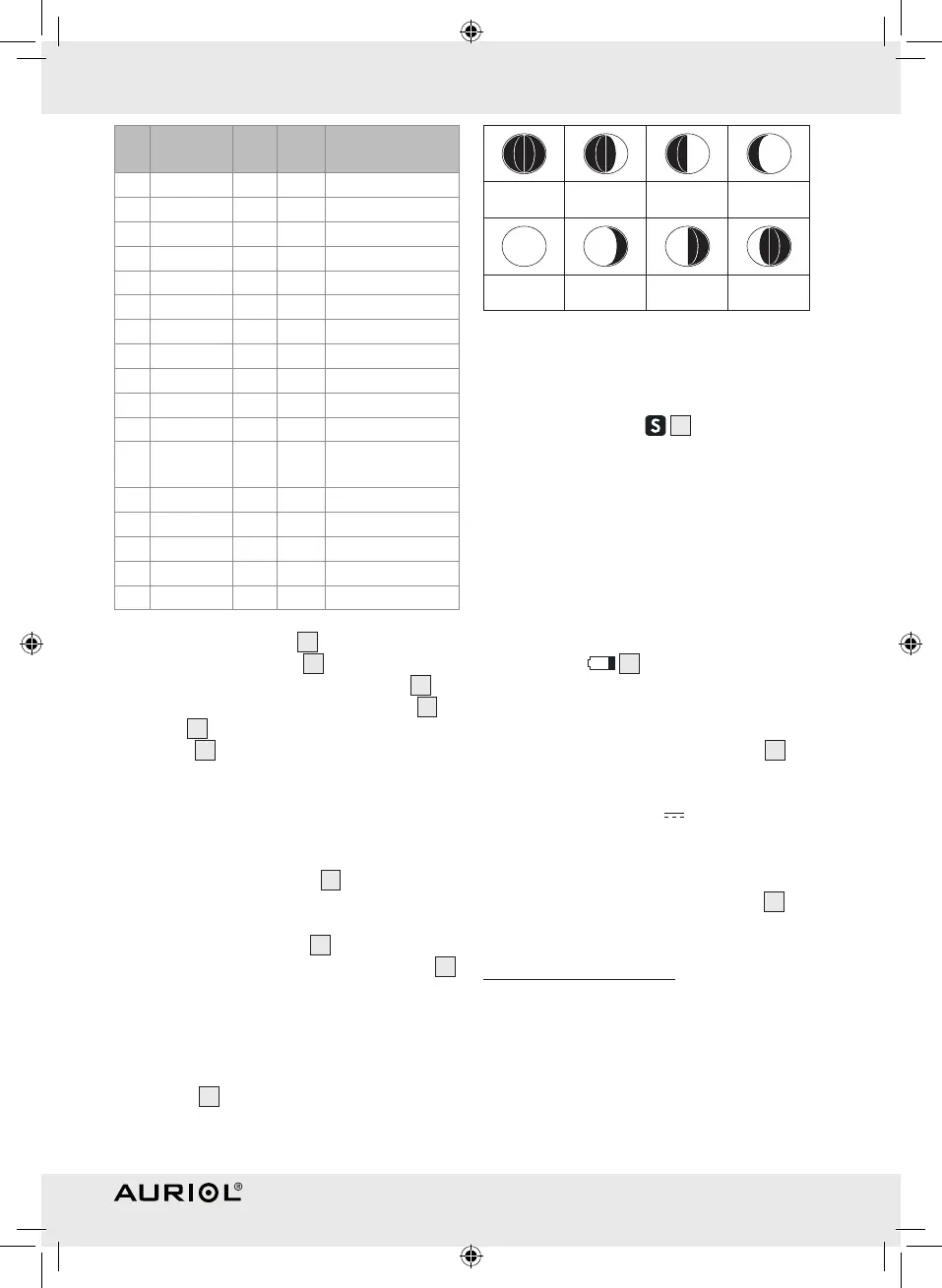
The following icons can be displayed:
New moon Waxing half-
moon
Half-moon Waxing full
moon
Full moon Waning full
moon
Half-moon Waning half-
moon
Q
Displaying summertime
Summertime is automatically indicated on the LCD
by the summertime icon
4
. The clock receives
the information as to whether it is summertime or not
from the DCF radio signal. You can also adjust the
summertime manually (see “Displaying universal
time”).
Note: Reception of the radio signal may be seriously
disrupted in reinforced concrete buildings.
Q
Changing the battery
The battery icon
3
appears on the LCD when
the battery is
low. Make sure that you replace the
battery promptly.
j Open the battery compartment cover
20
on
the back of the device.
j Remove the used battery.
j Insert a Mignon 1.5 V
/ AA type battery.
Note: Make sure that the polarity is correct
when you insert the battery. This is indicated in
the battery compartment.
j Close the battery compartment cover
20
.
Q
Troubleshooting
j This appliance has delicate electronic compo-
nents. This means that if it is placed near an
object that transmits radio signals, it could cause
interference.
This could be, for example, mobile telephones,
walkie talkies, CB radios, remote controls and
microwaves.
45981_Content_LB3.indd 11 11.01.10 08:35



 To Next Page