
 Need help?
Do you have a question about the auris bluMe Duo and is the answer not in the manual?
Standard audio cable for connecting devices via the 3.5mm jack.
Adapter cable to connect 3.5mm audio to RCA connectors.
Cable for charging the device using a USB-C port.
Power adapter for charging the device from a wall outlet.
Included documentation to help users get started with the device.
Details the various audio and power connection ports on the device.
Explains the function of the mode selection switches on the device.
Describes the Multi-Function Button (MFB) and the OLED display for device operation.
Covers the detachable base plate for mounting and the high-gain antenna.
Explains how the device functions as a Bluetooth transmitter.
Details the device's operation as a Bluetooth receiver.
Guides through mounting, charging, and selecting the operational mode (TX/RX).
Connects the device to TV/game console via digital optical audio.
Connects the device to TV/audio source using RCA analog cables.
Connects the device to TV/audio source via 3.5mm headphone jack.
Instructions for pairing a single Bluetooth device in TX mode.
Steps to connect two Bluetooth headphones simultaneously in TX mode.
Utilizes bypass feature to connect TV audio directly to a soundbar/speaker.
Connects the device to home stereo/speakers via digital optical audio.
Connects the device to stereo/speakers using RCA analog cables.
Connects the device to speakers via a 3.5mm headphone jack.
Connects the device to a smart device for audio streaming in RX mode.
Details automatic reconnection and how to adjust volume levels.
Instructions to reset the device to its default settings.
Solutions for problems with pairing and connecting Bluetooth devices.
Guides to resolve issues where no sound is played through the device.
Troubleshooting tips for low volume or audio cutting out issues.
Lists important safety guidelines for using the product.
Details warranty information and FCC compliance statements.
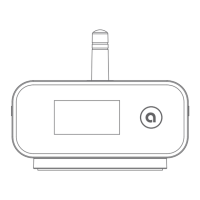
The Auris bluMe Duo is a high-fidelity Bluetooth music transmitter and receiver designed to seamlessly integrate into new and existing TV setups, car audio, or HiFi stereo systems. It adds HiFi Bluetooth streaming capabilities for headphones, speakers, phones, and other devices. Featuring analog and digital connections for universal compatibility, audio bypass, and extended Bluetooth range, the bluMe Duo serves as a versatile audio accessory for home and car audio.
The bluMe Duo operates in two primary modes: Transmitter (TX) and Receiver (RX).
 General
| Brand | auris |
|---|---|
| Model | bluMe Duo |
| Category | Transmitter |
| Language | English |

 To Next Page