9ENGLISH
TROUBLESHOOTING
Theshredderisconstantlyrunningwhilein“Auto(On)”mode.
1) It is possible that the activation sensor, which starts the shredder, has become blocked with paper.
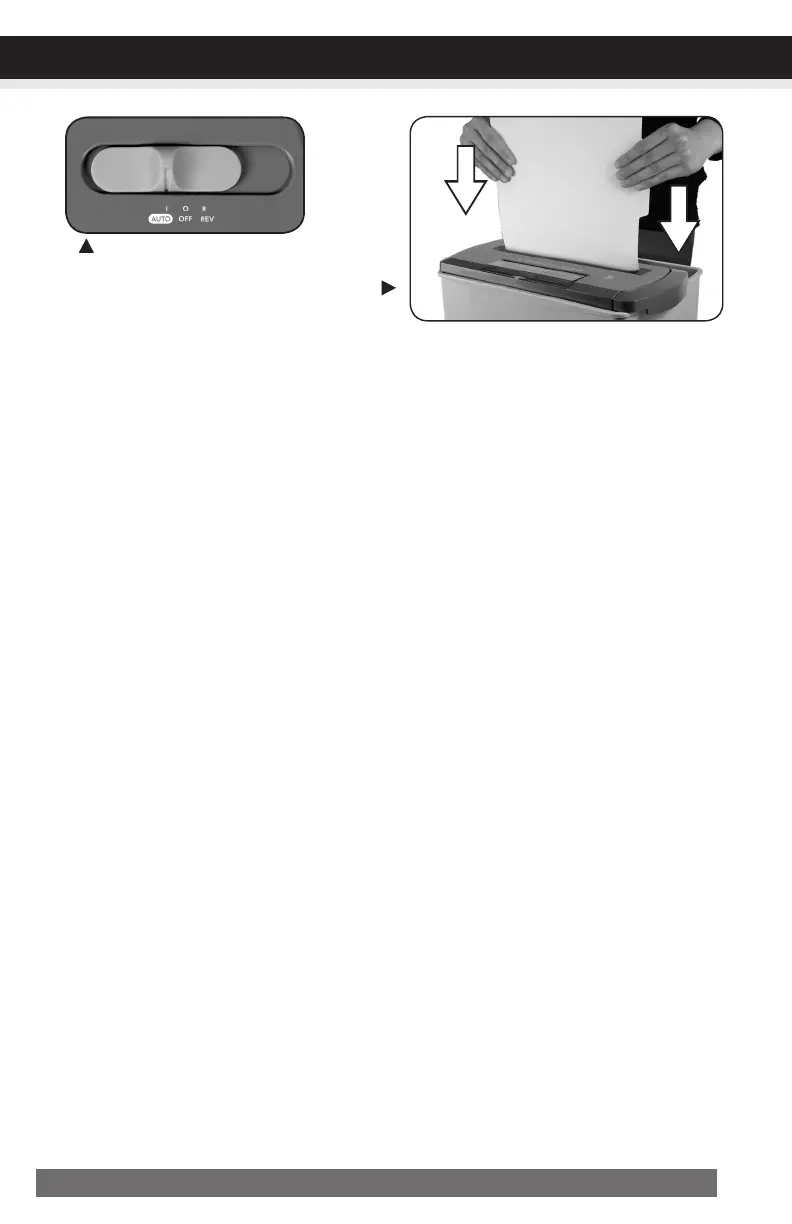
Insert an index card or any rigid sheet of cardstock (old greeting card or folded file folder), directly
in the center of the feed slot, while applying force to help push the jammed paper through. This will
usually clear any paper blocking the activation sensor and feed entry.
2) The activation sensor is being triggered by dust, debris, or oil. A cotton swab may be
used to clean the sensor. DO NOT USE CANNED AIR. The activation sensor of the shredder is
located around the center of the feed entry.
Powerswitchinautoposition
Usethickpaperstockorgreetingcard
topushthejamthrough


 To Next Page