EasyManua.ls Logo

Aurora Reax RXC Series - User Manual

Aurora Reax RXC Series
40 pages
Print Icon
To Next Page IconTo Next Page
Loading...
USERS GUIDE
www.auroramm.com
Manual Number: 210825
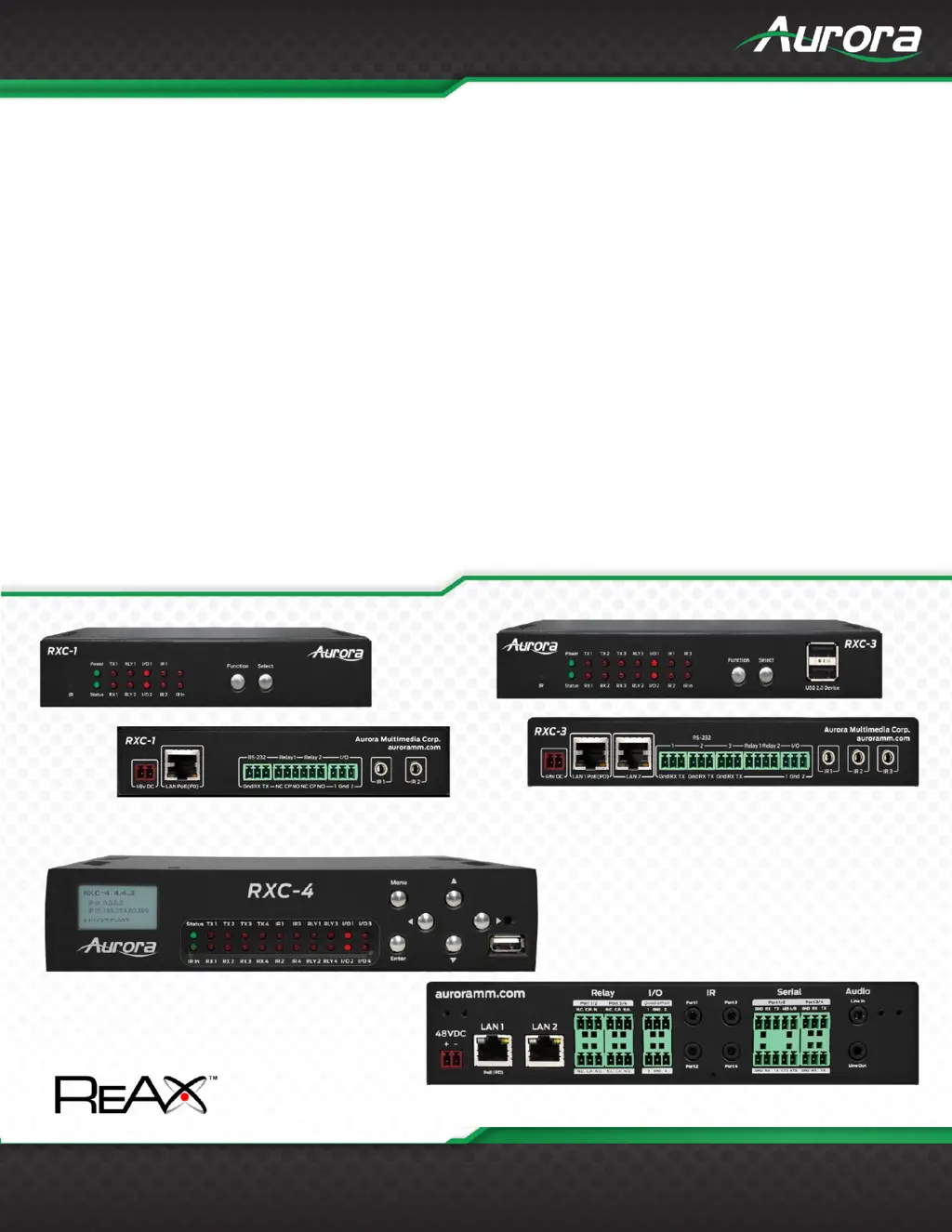
RXC Series
RXC-1 ● RXC-3 ● RXC-4
Reax Control Servers
RXC-3
RXC-1
RXC-4

Questions and Answers

  • G
    gbeckAug 9, 2025
    Why is the RS-232 not working on my Aurora Server?
    • A
      Andrew JonesAug 9, 2025
      If the RS-232 on your Aurora Server is not working, verify the connection on the RS-232 port, ensuring that TX goes to RX and RX goes to TX of the device you are connecting to, and that the ground is properly connected. Also, check the baud rate, confirm that the commands being sent are the correct protocol, and ensure each unit has a unique address.
  • C
    Christopher WalkerAug 26, 2025
    How to troubleshoot if the LED is not lit on any buttons of Aurora Reax RXC?
    • E
      erin86Aug 26, 2025
      If the LED is not lit on any buttons on your Aurora Server, check that the 48V power supply is plugged in locally. If connected to a switch via PoE, ensure the switch has power and is connected to a powered port. Also, check if the wall power supply is plugged into the wall outlet and that the wall outlet has power.

Aurora Reax RXC Series Specifications

General IconGeneral
ProcessorIntel Xeon Scalable Processors
MemoryDDR4
StorageSAS/SATA HDD/SSD, NVMe SSD
NetworkGigabit Ethernet, 10 Gigabit Ethernet
Power SupplyRedundant Power Supplies