ASSEMBLY INSTRUCTIONS
Instructions in case of mounting the handlebars on a new
frame/fork:
Install the fork through the front tube of the frame with the
lower and upper bearings, compression ring and headset
cover corresponding to your frame. Add spacers, if
necessary, until the desired handlebar height is achieved.
Make a mark on the fork tube where it peeks out of the
stem.
Remove the fork from the frame and cut the fork tube 4mm
below the mark made. Use a special carbon fiber saw.
Using a fine file, smooth the edge of the cut tube.
Insert the PG2 compressor into the fork tube until the cap
makes flat contact. Use a 6mm hex wrench and tighten to a
maximum of 8Nm.
Instructions in case of mounting the AURUM handlebar in
replacement of a conventional stem/handlebar on a
previously cut fork:
Mount the AURUM handlebar on the fork and install the
spacers suitable for your position or handlebar height.
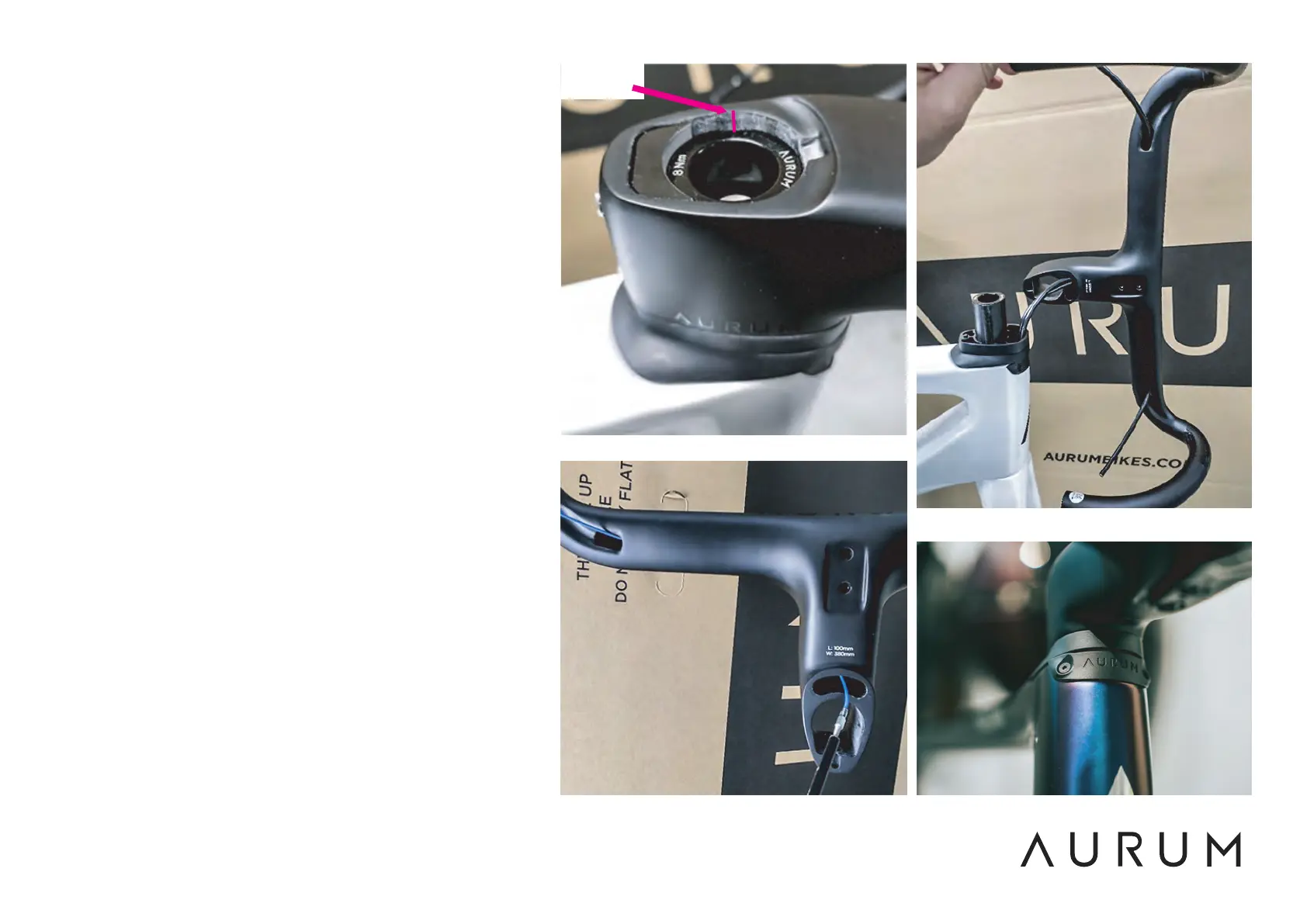
Check that, once the handlebars are mounted, the top of
the stem (without the cap) is 3 or 4mm above the end of
the fork with the compressor installed (Fig.1).
Route the brake hoses through the handlebars by inserting
them through the opening at the bottom of the stem (Fig.2
and 3)
In the case of Essentia, replace the cable entry part in the
frame with the MHTICR1 cover with AURUM logo, using the
same 2 M3 screws (Fig.4).
Tighten with a 2mm hex wrench.
Fig.1
Fig.2
Fig.3
Fig.4
4mm


 To Next Page
 Loading...