Mount the handlebars on the fork and make sure the
headset cap, spacers and handlebars fit together
properly with no clearance between them.
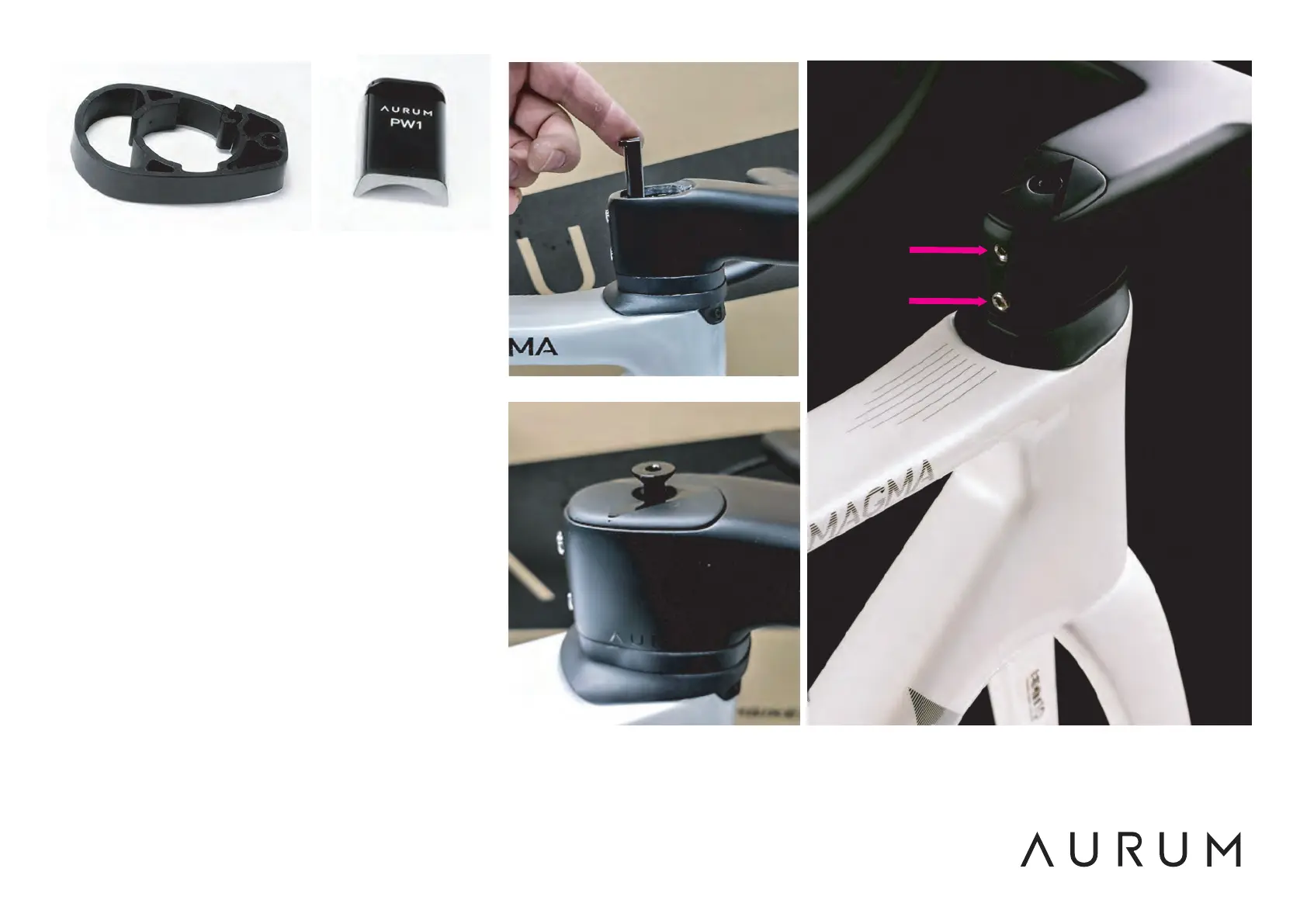
The spacers can be opened (Fig. 5) so that they can
be put on or taken off as well once the cables and
fork have been mounted. In that case, be careful not
to open the spacers more than strictly necessary to
prevent them from becoming over-warped or
breaking.
Insert the PW1 (Fig.6) between the rear of the stem
and the fork tube as shown (Fig.7), until it stops. It
should be 1mm below the top surface of the stem
(Fig. 1).
Next, install the stem cover and the long aluminum
screw (Fig. 8). Align the stem well with the front
wheel and lightly tighten the screw until the steering
turns smoothly but without slack.
Using the torque wrench regulated to 5Nm,
alternately tighten the two screws on the rear of the
stem (Fig. 9). Tighten gradually, alternately, until you
reach a maximum torque of 5Nm and do not tighten
any more.
Fig.7
5Nm
Fig.6Fig.5
Fig.8 Fig.9


 To Next Page
 Loading...