EN-5
A.Please connect the webcam to your computer and wait till
the computer recognizes the webcam.
2.On Windows 10
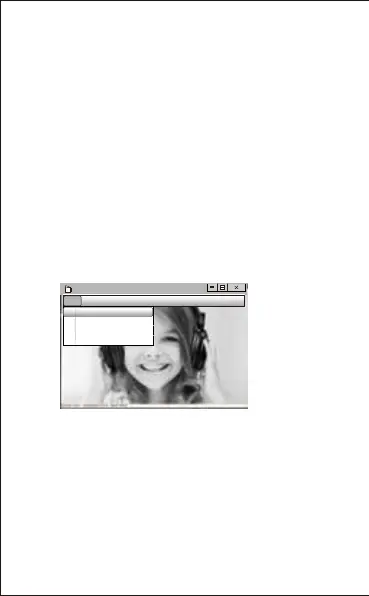
-Record videos:Capture
→
Start Capture
→
Select OK to start
capture of video sequence to save the files . You can select a
directory for saving captured videos before Starting to Capture,File
→
Set Capture Directory.
-Take photos: Photo
→
Start photo
E.To record videos/take photos:
D. To adjust the microphone volume:
-XP system:right click the voice icon in the lower right
corner,open the volume controller → Option → Attribute →
Audio mixer → Choose”USB Audio Device” or “USB
Microphone” → Sure → Adjust volume as your need.
- Win7/8/Vista system: Control panel → Sound → Record →
Double click USB Audio Device or USB Microphone →
Microphone attribute → level → Adjust volume as your need.
AMCAP
File Devices Options Capture photo help
Set Capture Directory...
Set Photo Directory...
Set Captured Video AS...
Exit


 To Next Page