Bluetooth Headset English
-5-
Switch the call between
a phone and a headset
Press and hold the power button for 2 seconds to
switch the on line call between a phone and handset
Answer a new call and
hang up the current call
Press the power button
Keep the current call
and answer a new call
Press and hold the power button
Play media Press the power button
Pause/restart media
playback
Skip to next track
Skip to previous track
Press the power button
Long press V+ button
Long press V- button
Redial the last number Press and hold the power button for 2 seconds
Note:
M05 will pair with the last paired device automatically when turned on. But
for some computers or laptops you will need to manually pair every time.
There will be a prompt tone when the volume reaches the minimum or
maximum level.
The microphone can't work when using a wired headset.
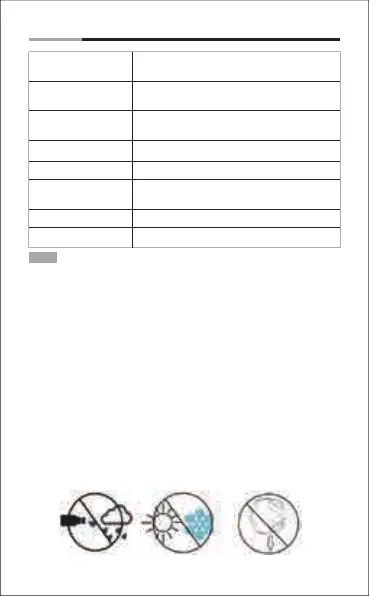
9. Take Care Your Headset
Avoid exposing to
liquids and rain
Avoid exposing to
extremely temperature
Avoid dropping
from high places
- Store the Headset with power off and in a dry environment.
- If you don’t use the headset for a long period, charging the battery
every 2 months for 1-2 hours.
- Use a dry cloth for cleaning if needed.
- Avoid dropping the headset from high places or on hard surfaces.
- Avoid exposing the headset to extreme temperature.
(Recommended Storage temperature is -25˚C-60˚C.
- The headset is NOT waterproof. Avoid exposing the headset to rain or
getting liquids into any button port or other openings.
- Please don’t twist or bend the headset. This may cause permanent
deformation.


 To Next Page
 Loading...