Llamada a vivienda Call to at
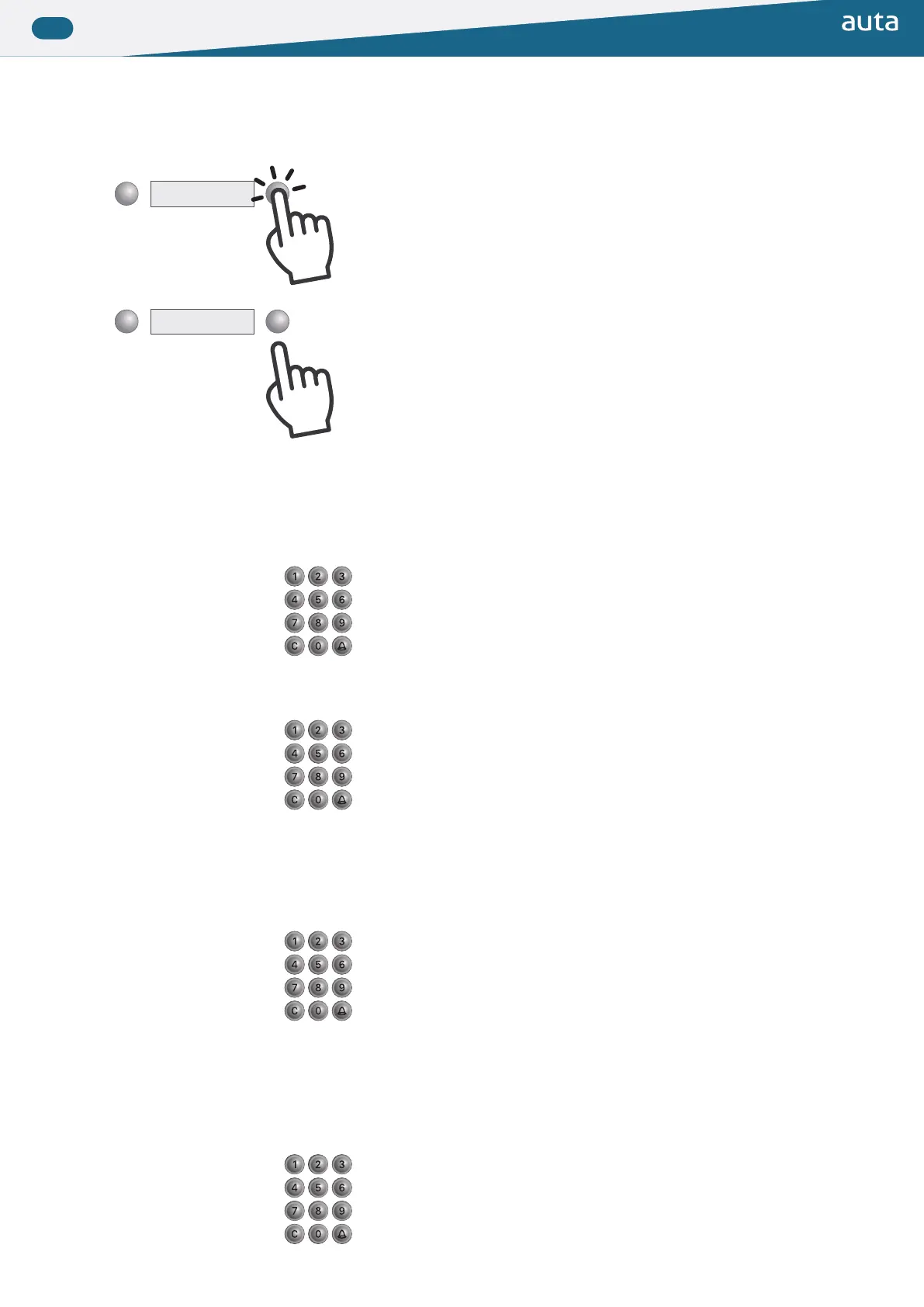
▶ Llamada desde una placa de pulsadores Call from a push-button panel
▶ Llamada desde una placa de teclado Call from a keypad panel
◆ SIN base de datos WITHOUT database
◆ SIN base de datos WITHOUT database
◆ CON base de datos WITH database
◆ CON base de datos WITH database
Modo INTERIOR INTERNAL mode
Modo EXTERIOR EXTERNAL mode
1
2
Al pulsar escucharemos un sonido corto de conirmación.
Todavía NO se estará efectuando la llamada a la vivienda.
Pressing will hear a short conirmation sound.
The call to the lat will NOT be made yet.
Al dejar de pulsar se efectuará la llamada a la vivienda seleccionada.
- Si escuchamos una serie de tonos cortos, el monitor_teléfono estará sonando.
- Si escuchamos un tono largo, el monitor_teléfono no estará respondiendo.
When the button is released, the call to the selected lat will be made.
- If we hear a series of short tones, the monitor_phone will be ringing.
- If we hear a long tone, the monitor_phone will not be responding.
Presionaremos el código binario de la vivienda y seguidamente CAMPANA.
(desde 1 a 254).
Presionaremos C para rectiicar o cancelar una llamada en curso.
We will press the binary code of the lat and then BELL (from 1 to 254).
We will press C to rectify or cancel an ongoing call.
Efectuaremos la llamada siguiendo el siguiente patrón:
1º Código binario de SDL + CAMPANA (desde 1 a 254)
2º Código binario de vivienda + CAMPANA (desde 1 a 254)
Presionaremos C para rectiicar o cancelar una llamada en curso.
We will do the call following the next pattern:
1º Binary code of SDL + BELL (from 1 to 254)
2º Binary code of lat + BELL (from 1 to 254)
We will press C to rectify or cancel an ongoing call.
Presionaremos el código binario de la vivienda y seguidamente CAMPANA.
(podremos usar hasta 9 dígitos de llamada).
Presionaremos C para rectiicar o cancelar una llamada en curso.
We will press the binary code of the lat and then BELL (we be able to use up
to 9 digits to call).
We will press C to rectify or cancel an ongoing call.
Presionaremos el código binario de la vivienda y seguidamente CAMPANA.
(podremos usar hasta 9 dígitos de llamada).
Presionaremos C para rectiicar o cancelar una llamada en curso.
We will press the binary code of the lat and then BELL (we be able to use up
to 9 digits to call).
We will press C to rectify or cancel an ongoing call.


 To Next Page
 Loading...