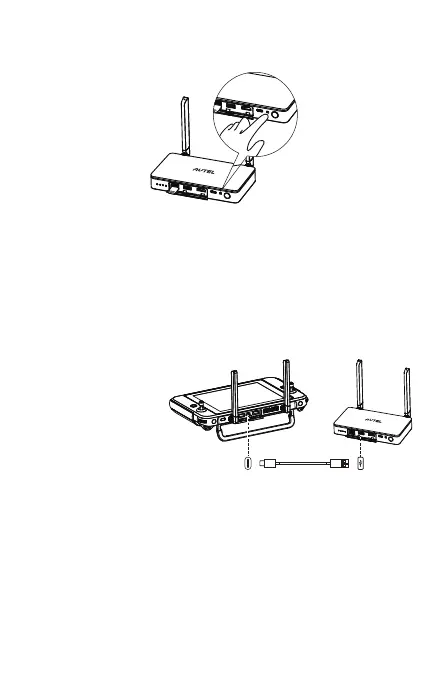
3)Press the paring button of Live Deck 2 and the indicator light
will flash green quickly.
4)Led lights on aircraft will flash slowly if pairing is successful.
4.3 Live Deck 2 Setting
Connects to Type-C port of Autel Smart Controller through USB
Type-A 1 port of Live Deck 2 for function settings as below.
1)Flight Information
Enable/Disable
2)RTMP Setting
3)Language Setting
4)Software Upgrade
5)Software Version Check
4.4 Connect To A Display Device
HDMI and Ethernet port can output display information. Please
select one or several ports to connect to your devices accordingly.
1)HDMI: connect the HDMI cable to a monitor that can support
HDMI. The video resolution can be up to 1080P.


 To Next Page