Note
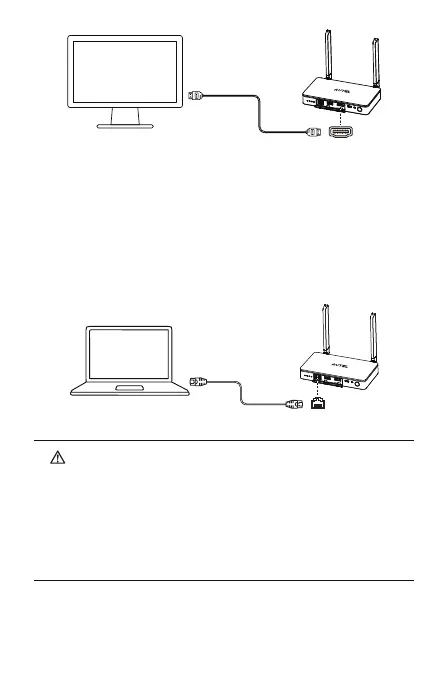
① Live Deck 2 supports HDMI and Ethernet port connections
simultaneously.
② If we use the Live Deck 2 while charging, it will stop battery
charging because of Over-temperature Protection when
machine temperature is higher than 45℃, and battery charging
will continue if machine temperature drop below 40℃.
2)Ethernet port: make sure Live Deck 2 is on the same network of as the
projecting screen, and connect the Type-C port of Autel Smart Controller
through USB Type-A 1 port of Live Deck 2. Set the RTMP address to rtmp
protocol format (e.g. rtmp://192.168.10.10/live/live stream) on App of
Smart Controller. After completing the settings, enter the address in
the software that supports rtmp protocol parsing on projecting
devices, such as a laptop to display real-time video.


 To Next Page
 Loading...