28
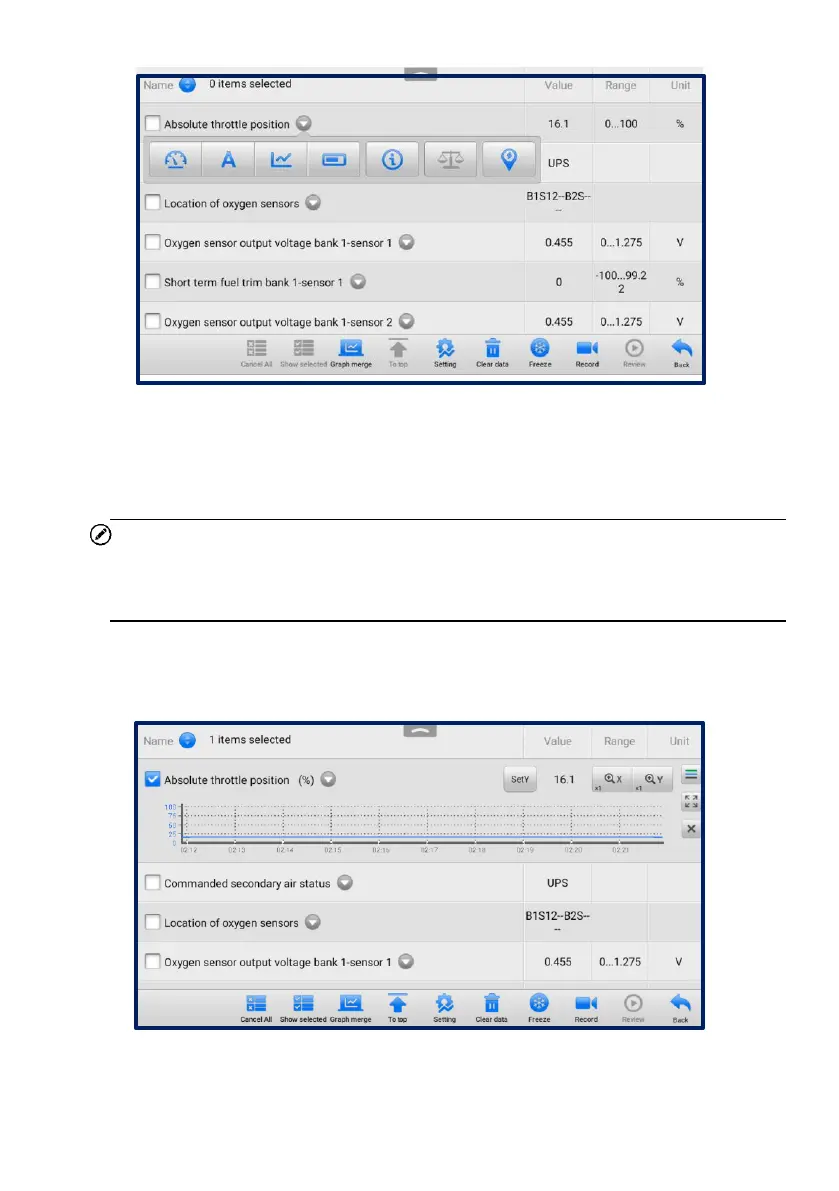
Figure 4-14 Display Mode Screen
Each parameter item displays its selected mode independently.
Analog Gauge Mode — displays the parameters in gauge charts.
Text Mode — the default mode that displays the parameters as a text list.
NOTE
Status parameters, such as a switch reading like ON, OFF, ACTIVE, and ABORT,
can only be displayed in Text Mode. Value parameters, such as a sensor reading,
can be displayed in both text and graph modes.
Waveform Graph Mode — displays the parameters in waveform graphs.
In this mode, five control buttons will display on the right side of the parameter item,
allowing you to manipulate the display status.
Figure 4-15 Waveform Graph Mode Screen
Settings Button (SetY) — sets the minimum and maximum values of the
Y axis.


 To Next Page
 Loading...











