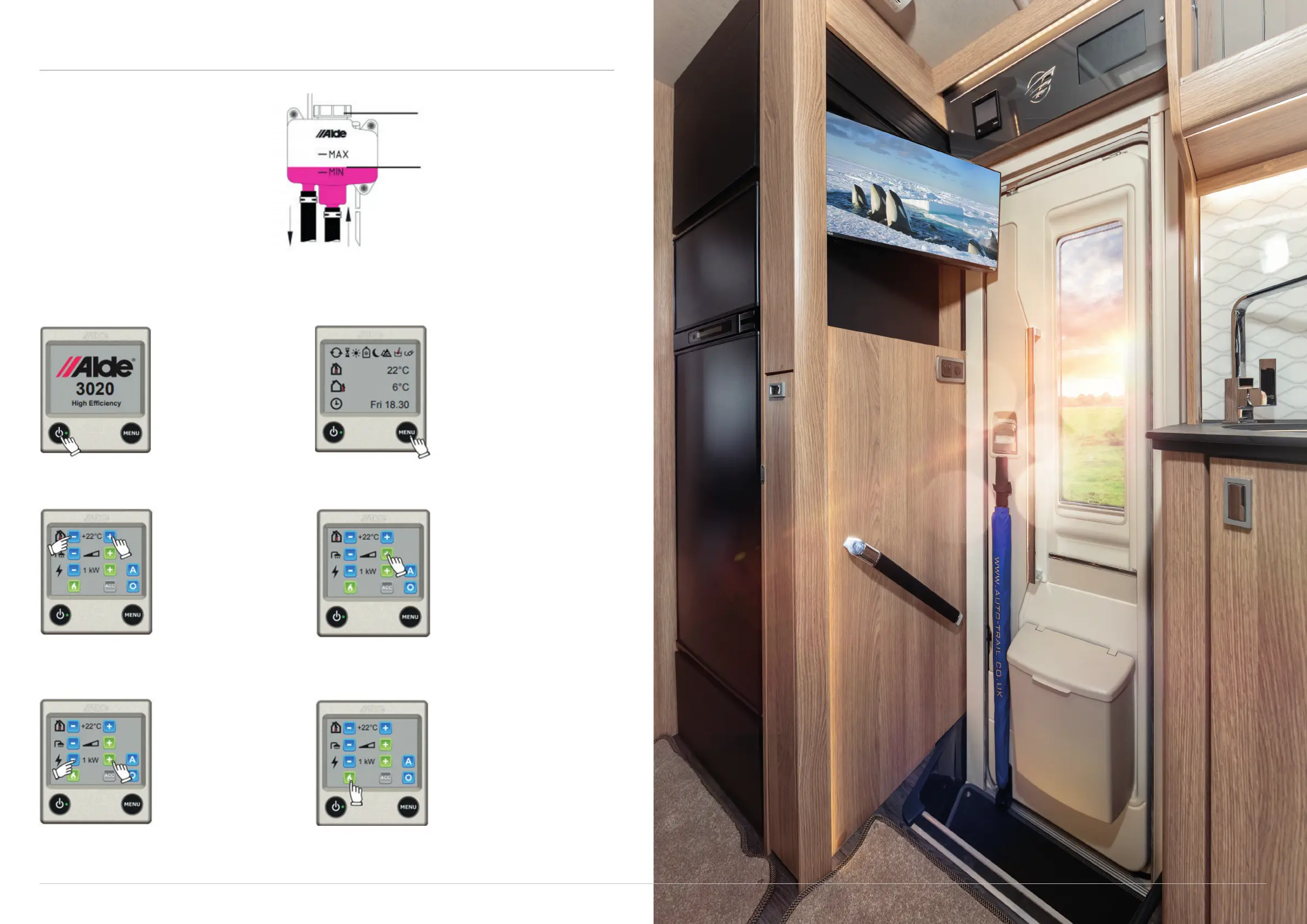
ALDE HEATING
21 TOGETHER WE’RE GOING PLACES For more information visit www.auto-trail.co.uk 22
The Alde boiler is designed to provide
both heat and hot water, and can be
used with either gas, 230V electricityor
both. Before using the central heating
system, familiarise yourself with the
location of the expansion tank and check
the glycol levels to ensure they are
between the minimum and maximum.
Nut
Fluid level in a cold
heating system
How to use the system
To start the boiler, press
the on/o button and the
start-up display appears.
The boiler starts with the
last selected settings.
A green LED comes on
beside the on/o button
when the panel/heating
system is on.
Launch the settings menu
from the ‘menu’ button. The
background light comes on and
functions are displayed. Changes
you make to the settings are
automatically saved after ten
seconds, and the control paneil
will go into standby mode if the
screen is not touched after thirty
seconds.
The temperature
displayed is the one
which is currently set.
Increase it by pressing
the + button, reduce it by
pressing the - button.
If there is freshwater in the
heater and hot water is required,
press the + button, which will
then show as half-shaded. Press
the - button to reduce the water
temperature.
Use the + or - button
to switch on the electric
heating and toggle
between the various
power modes. The set
value will be displayed on
the screen.
Start gas operation by pressing
the LPG flame symbol, which will
turn green. The boiler will now
work at the set temperature.
Press the LPG flame symbol
again to turn o, and it will
change to blue.
Switching on and o
Set room temperature
Choose electric
Settings menu
Set hot water
Choose gas



 To Next Page